
The day’s weather, any past hour, and the map.
One native app for iPhone, iPad, Mac, and Apple Watch: the hours and days ahead, the weather at any time in the past, and a map you can play through time, with the source named under every number.
- Accessibility documented
- Native on iPhone, iPad, Mac, and Apple Watch
- Weather from Tempest
Internal to Renkara. Weather Window is a tool Renkara Media Group builds and runs for itself. It is not for sale, and there is nothing to buy or join.
Tempest, the fleet’s weather service
The app does not call a weather provider itself. It asks Tempest, which asks two providers at once, keeps the fuller day, saves readings by place and time, and labels archive values as estimates.
Read how Tempest chooses a day, saves a reading, and serves the fleet on tempest.renkara.com. How it works follows one forecast from Tempest to the screen.
Where the weather meets your plans
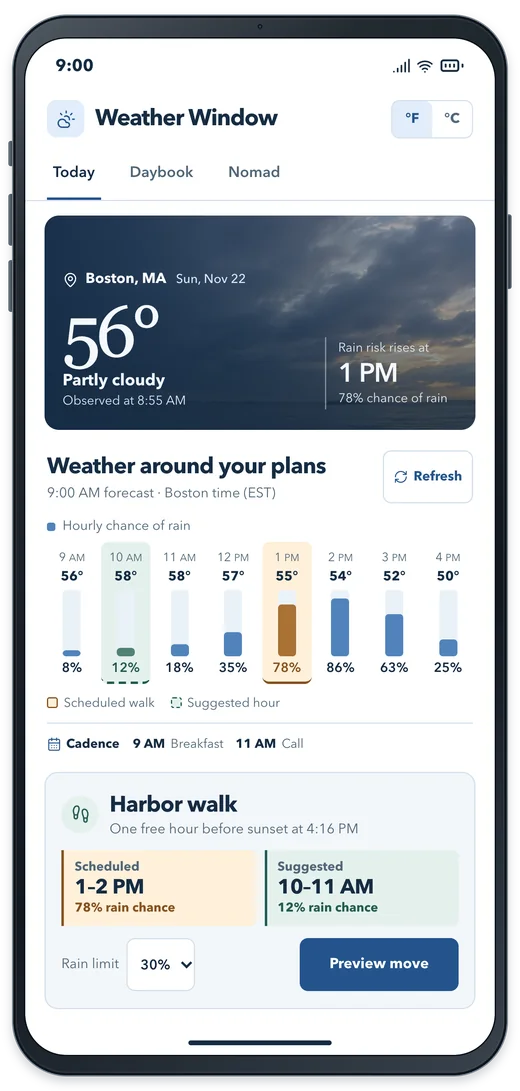
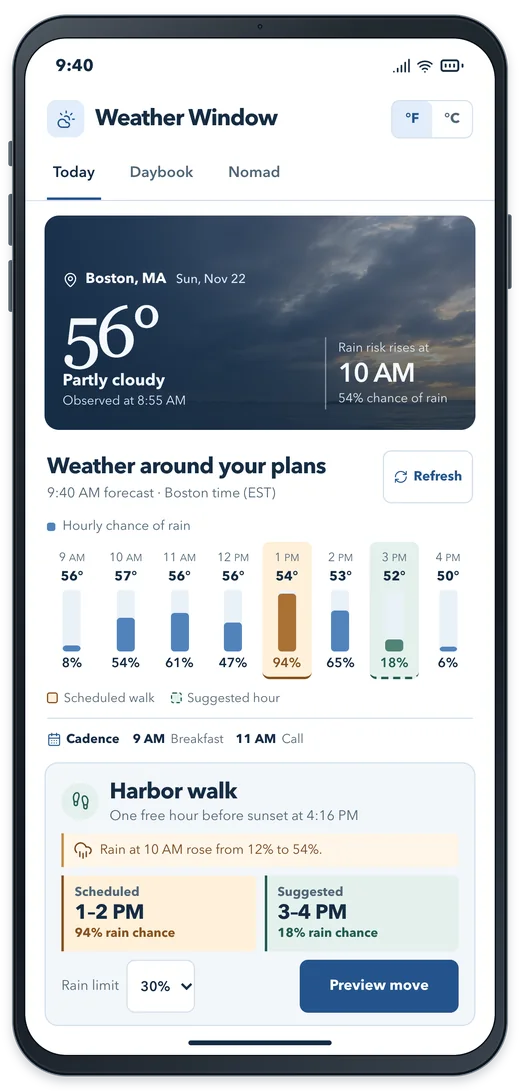
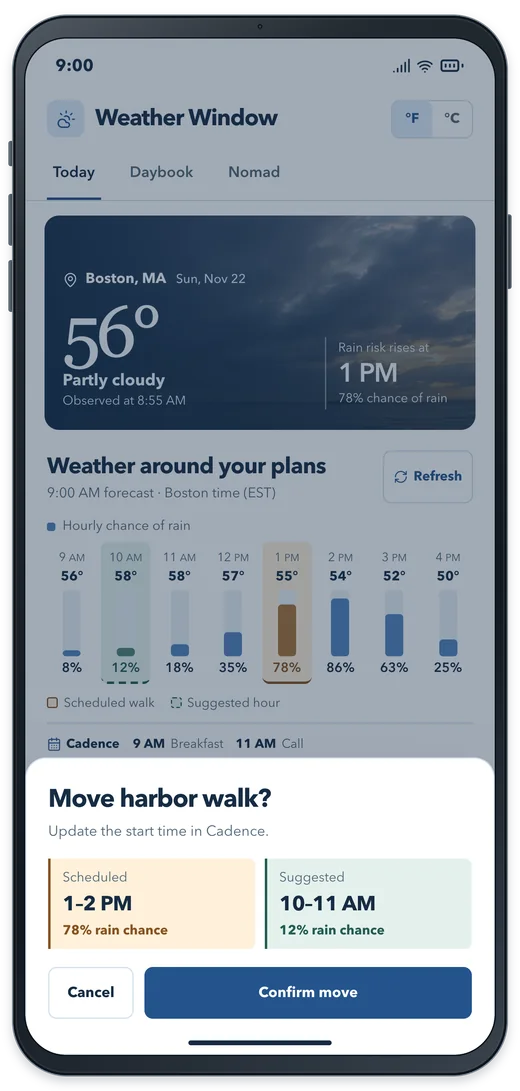
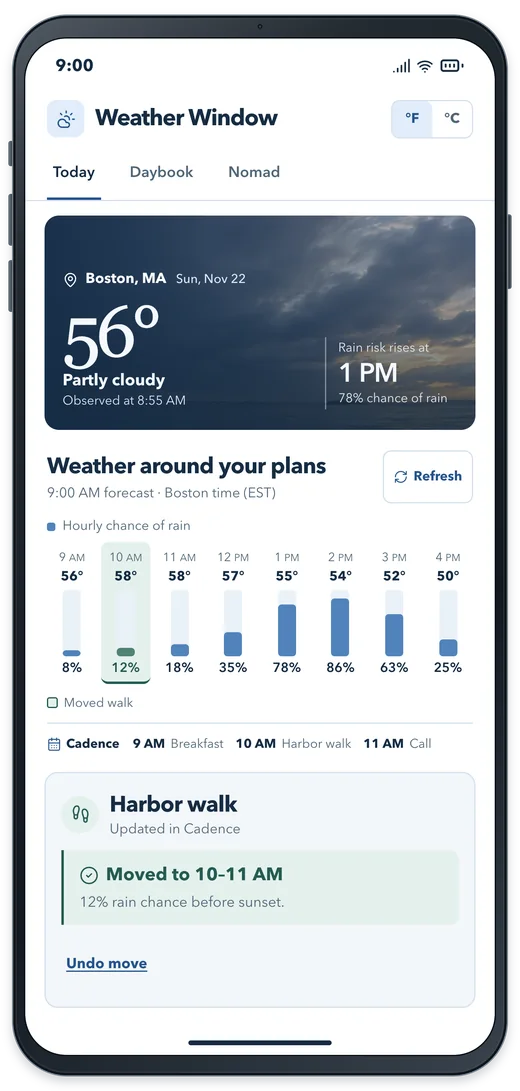
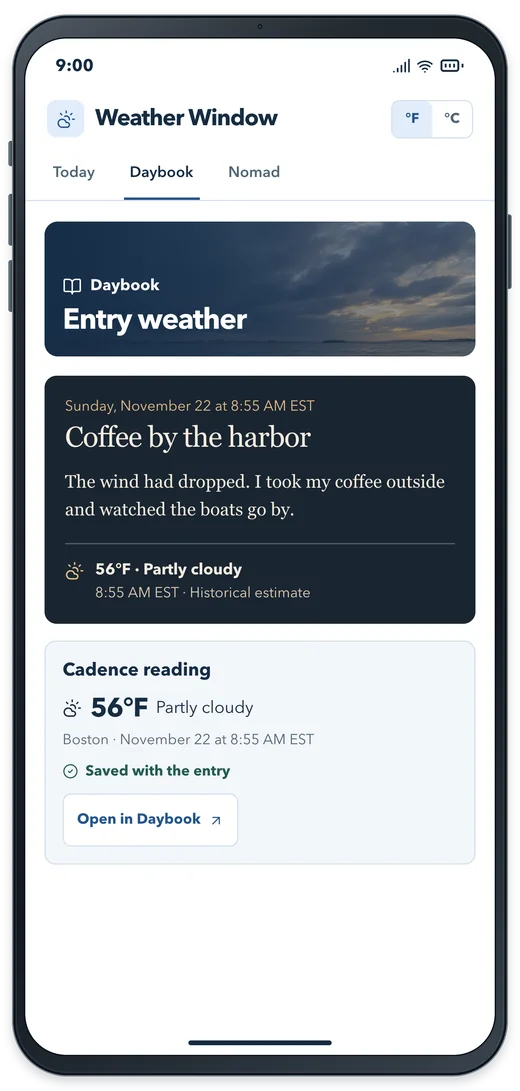
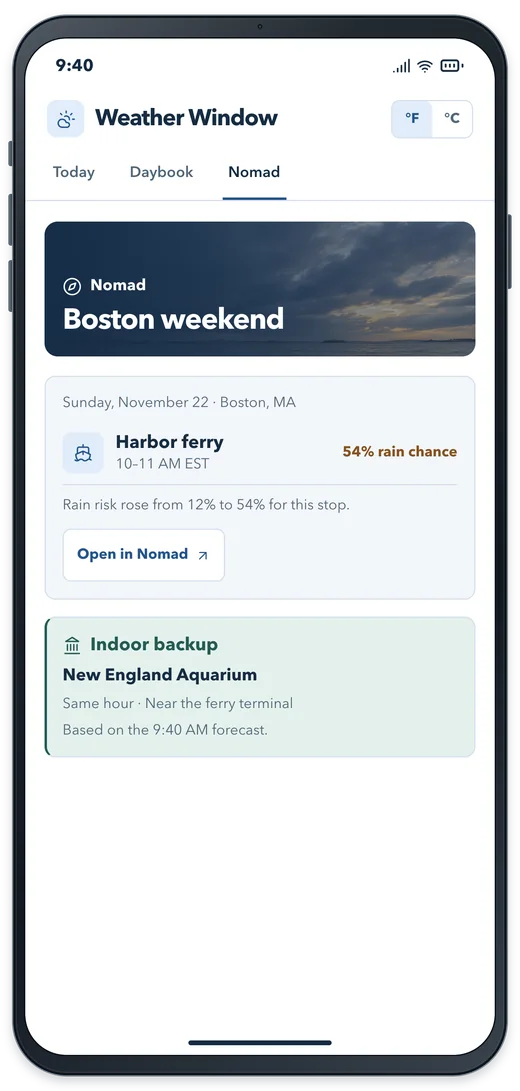
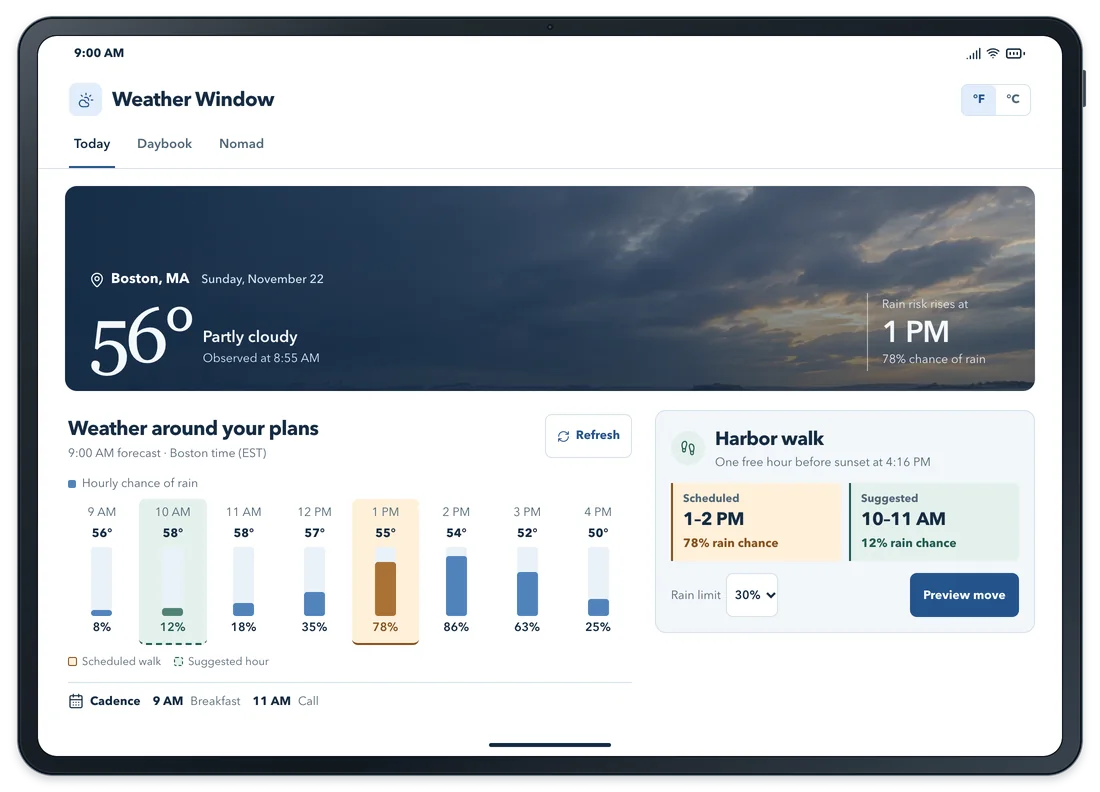
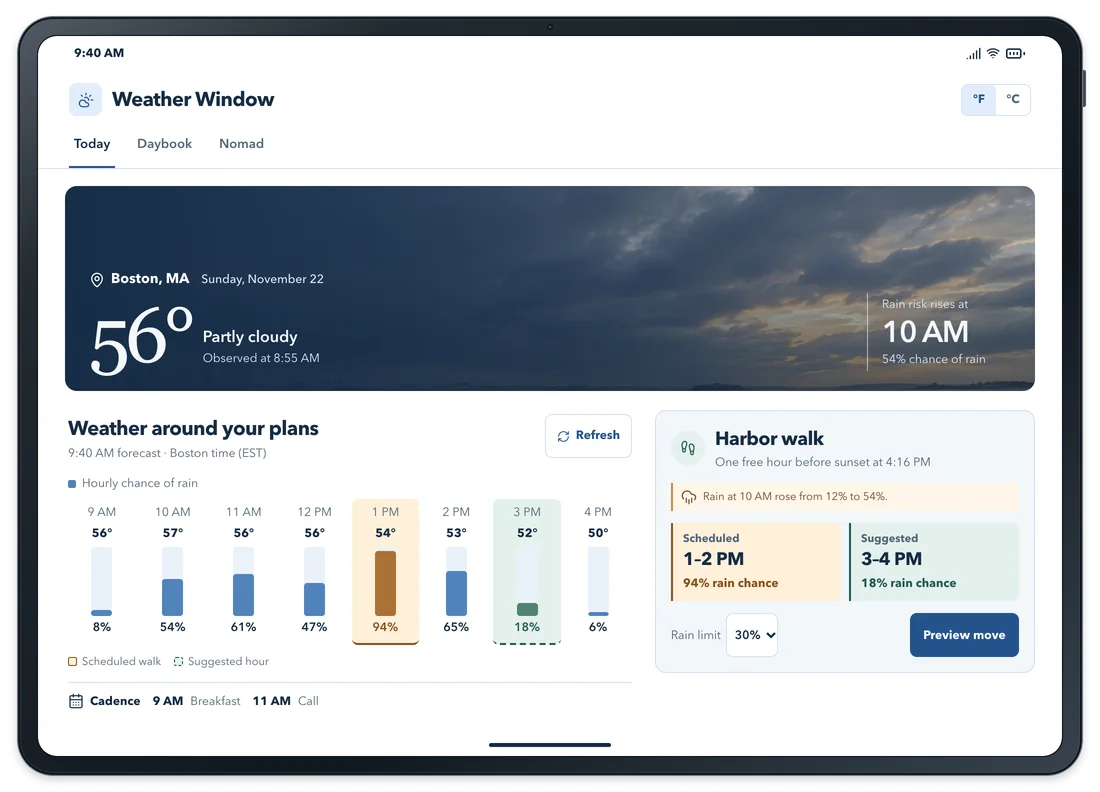
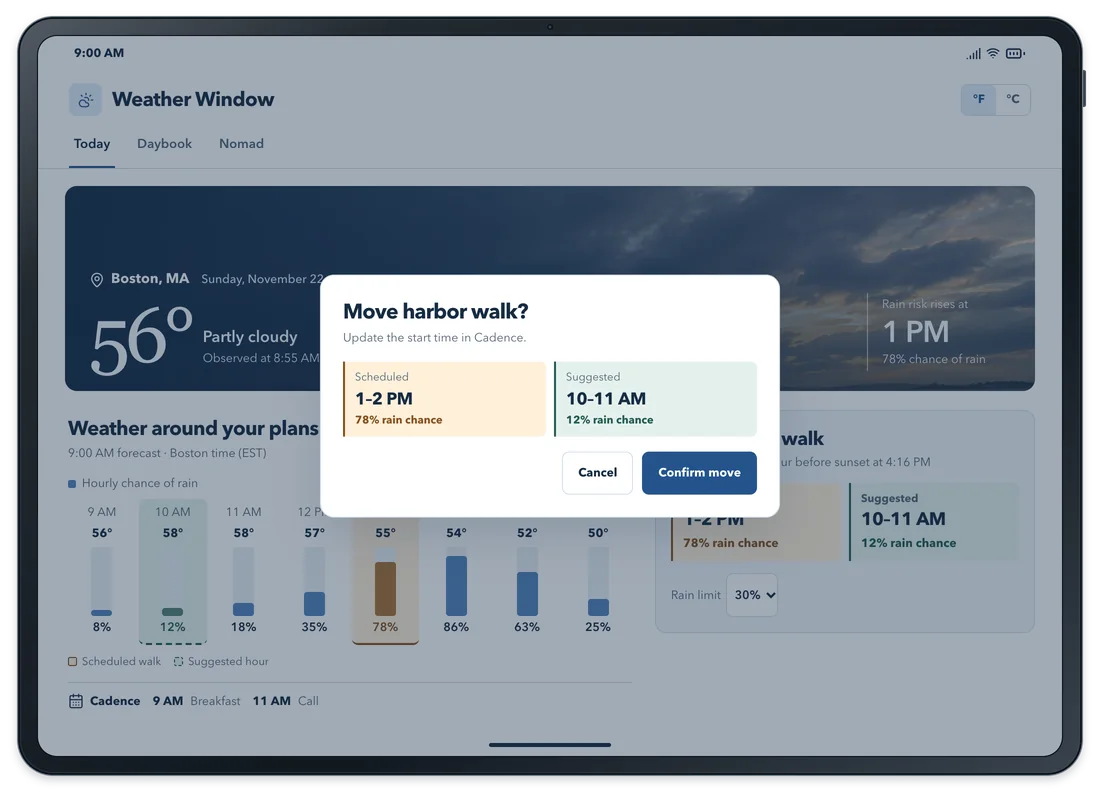
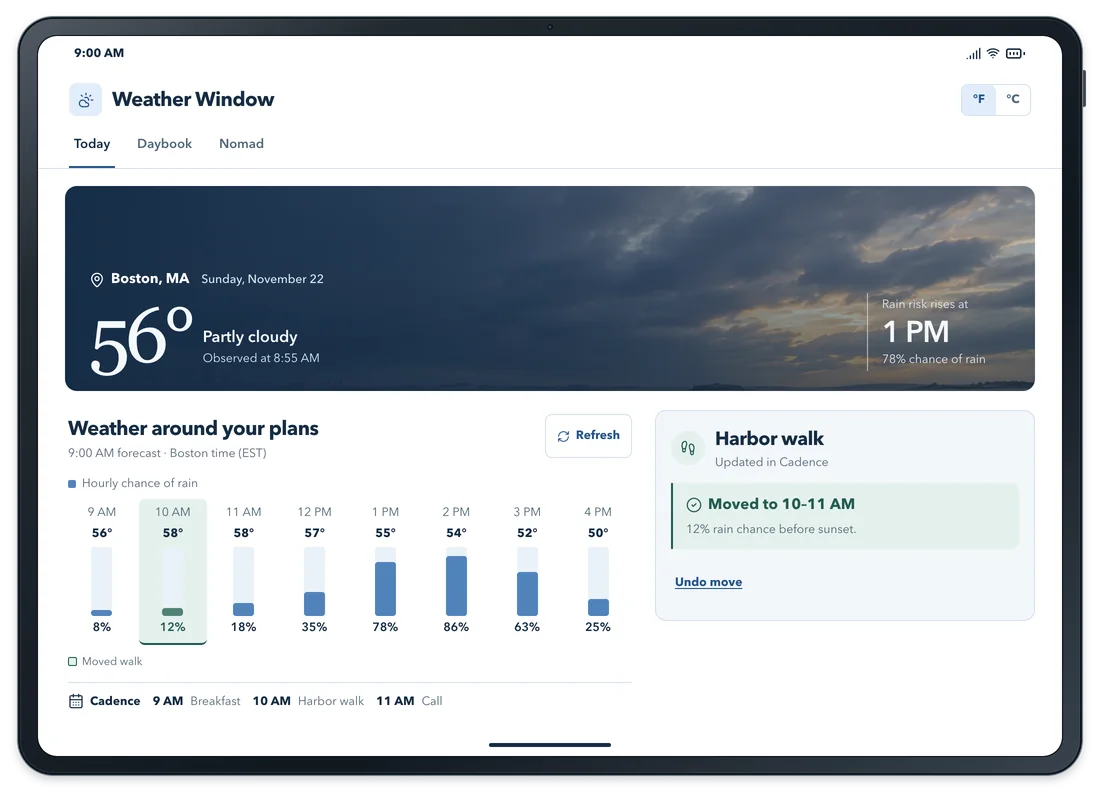
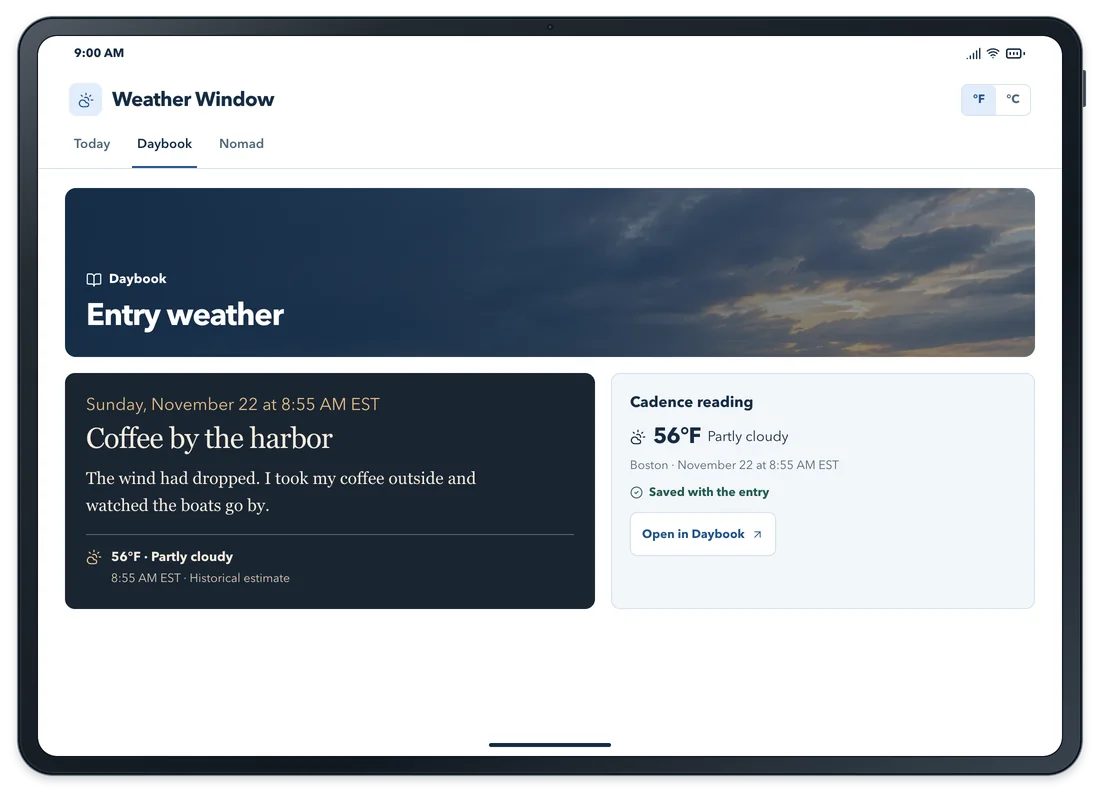
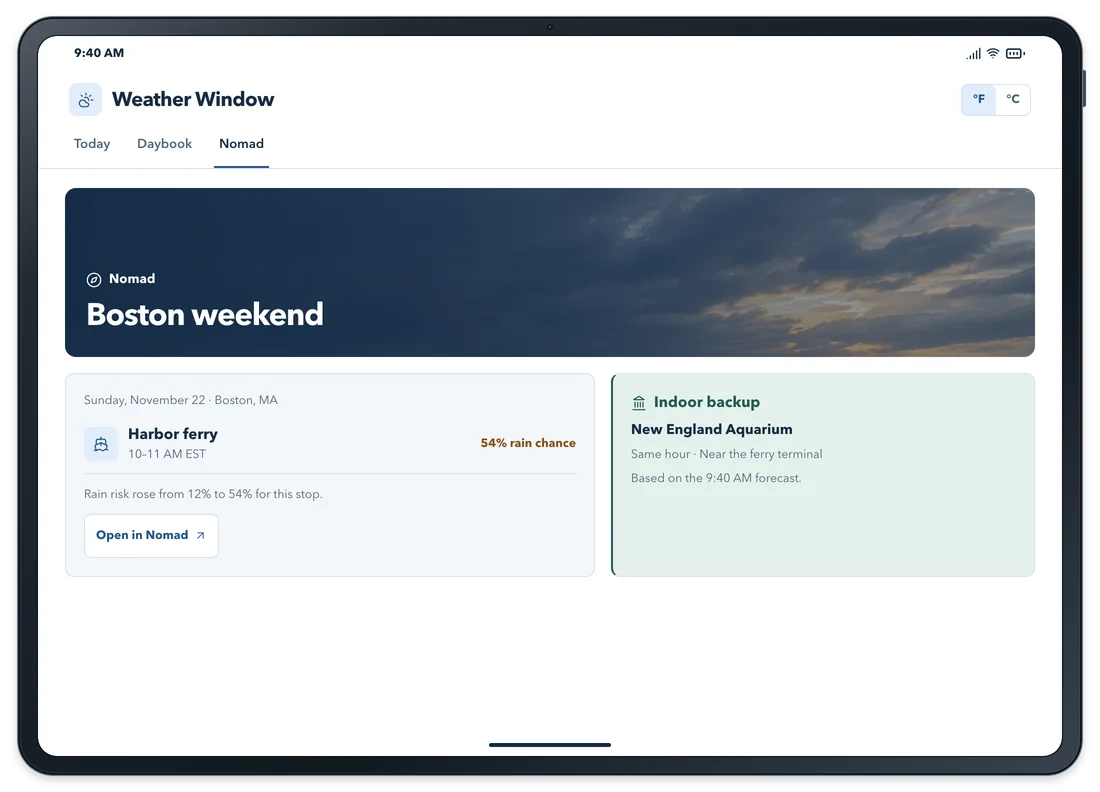
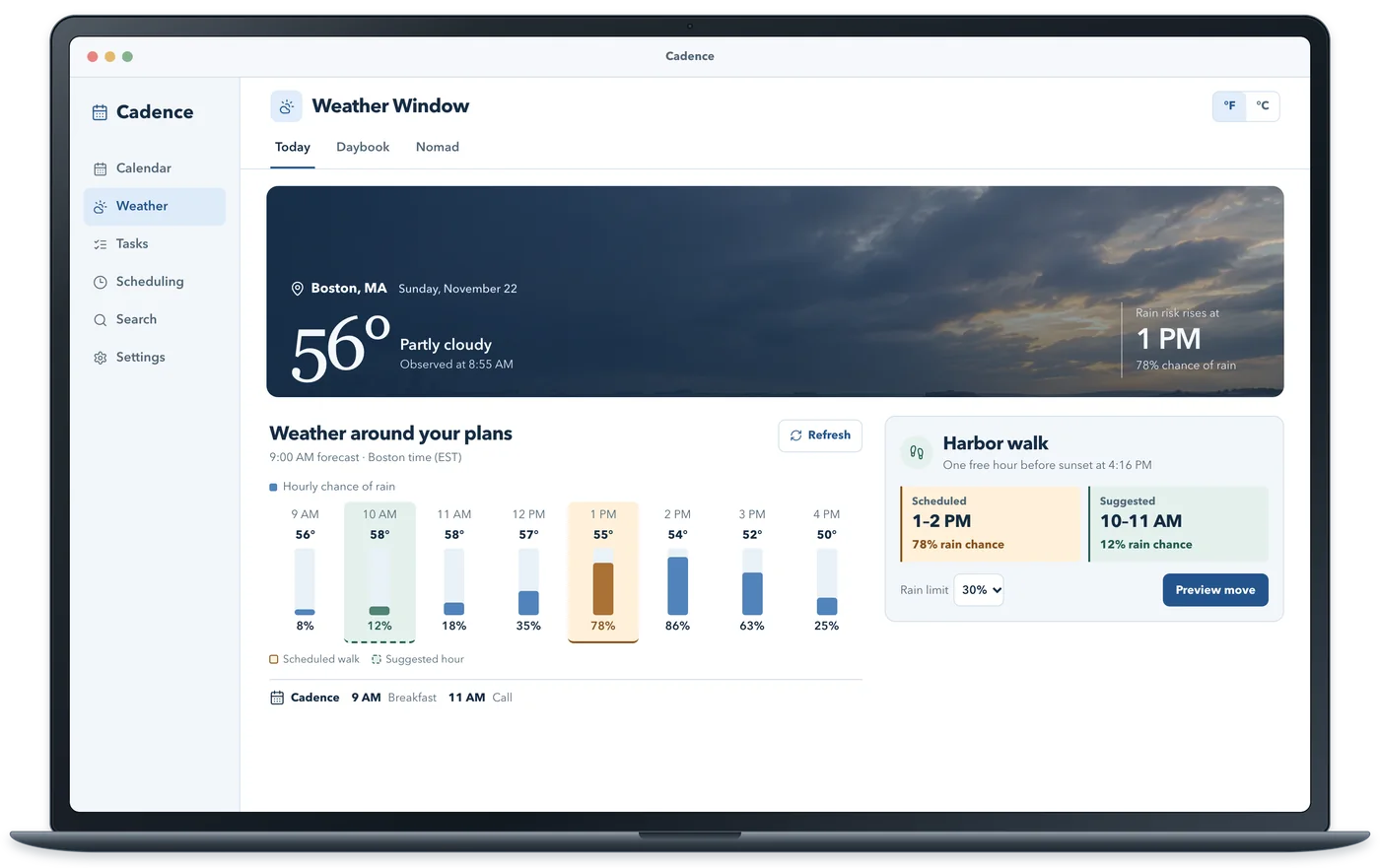
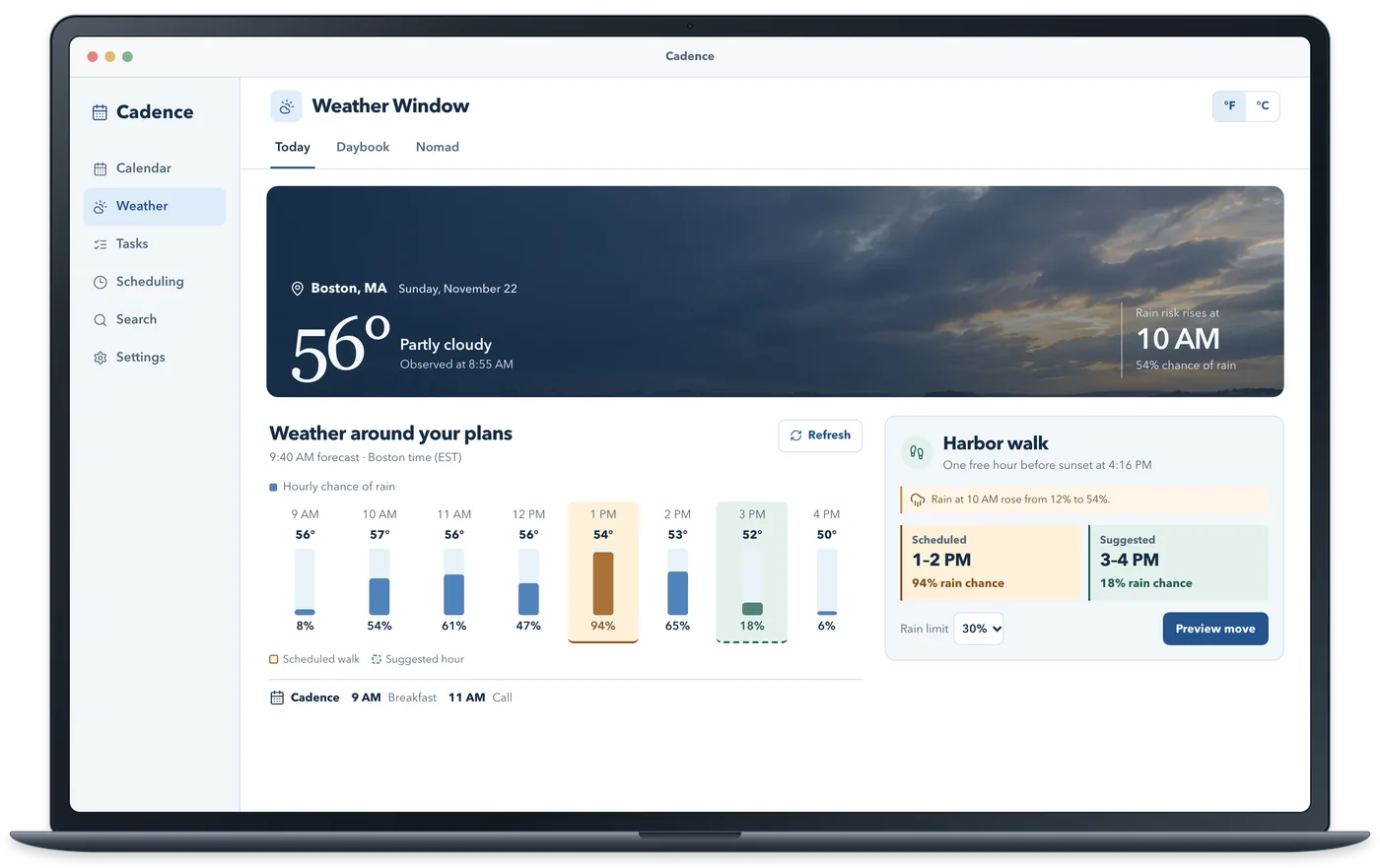
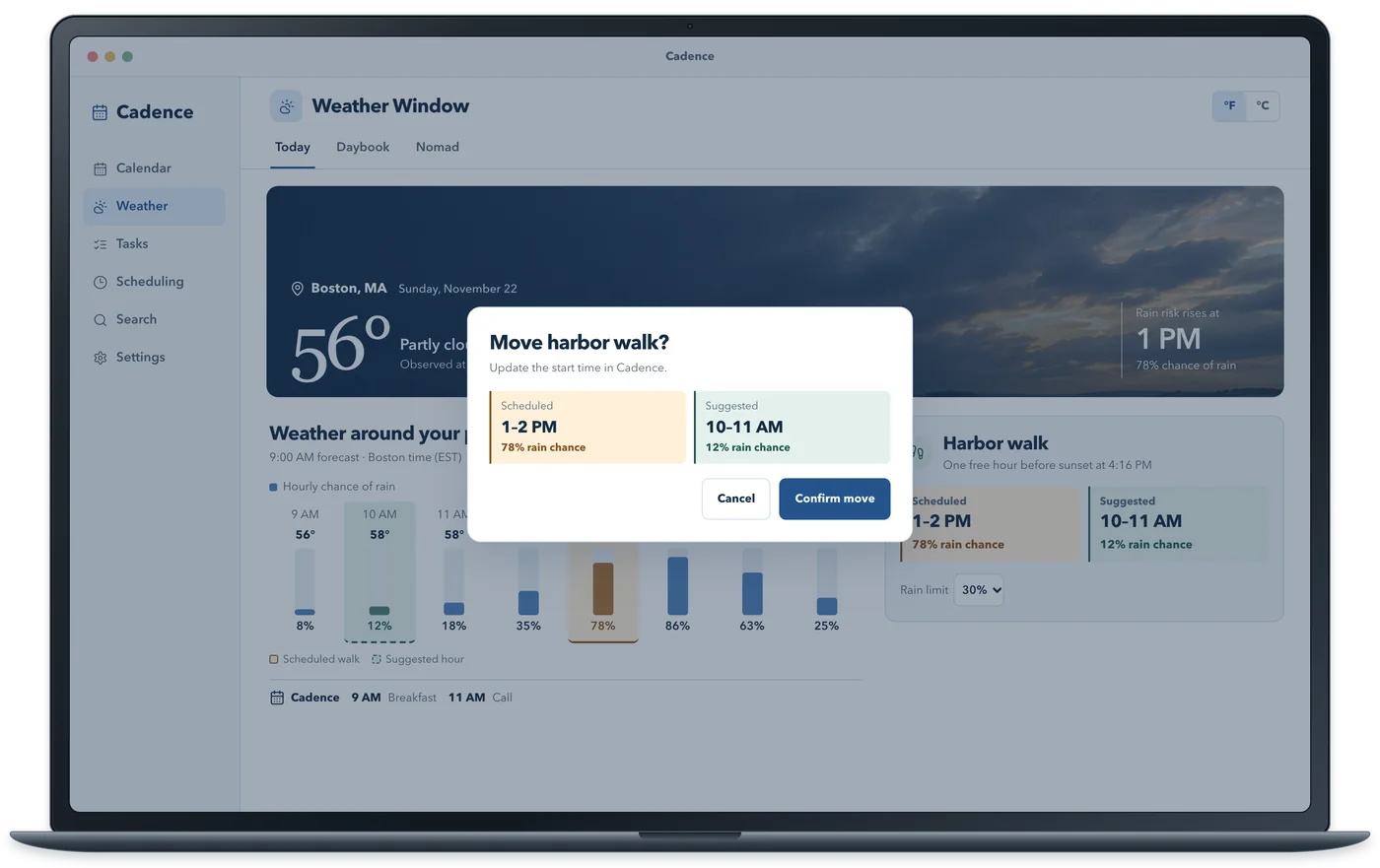
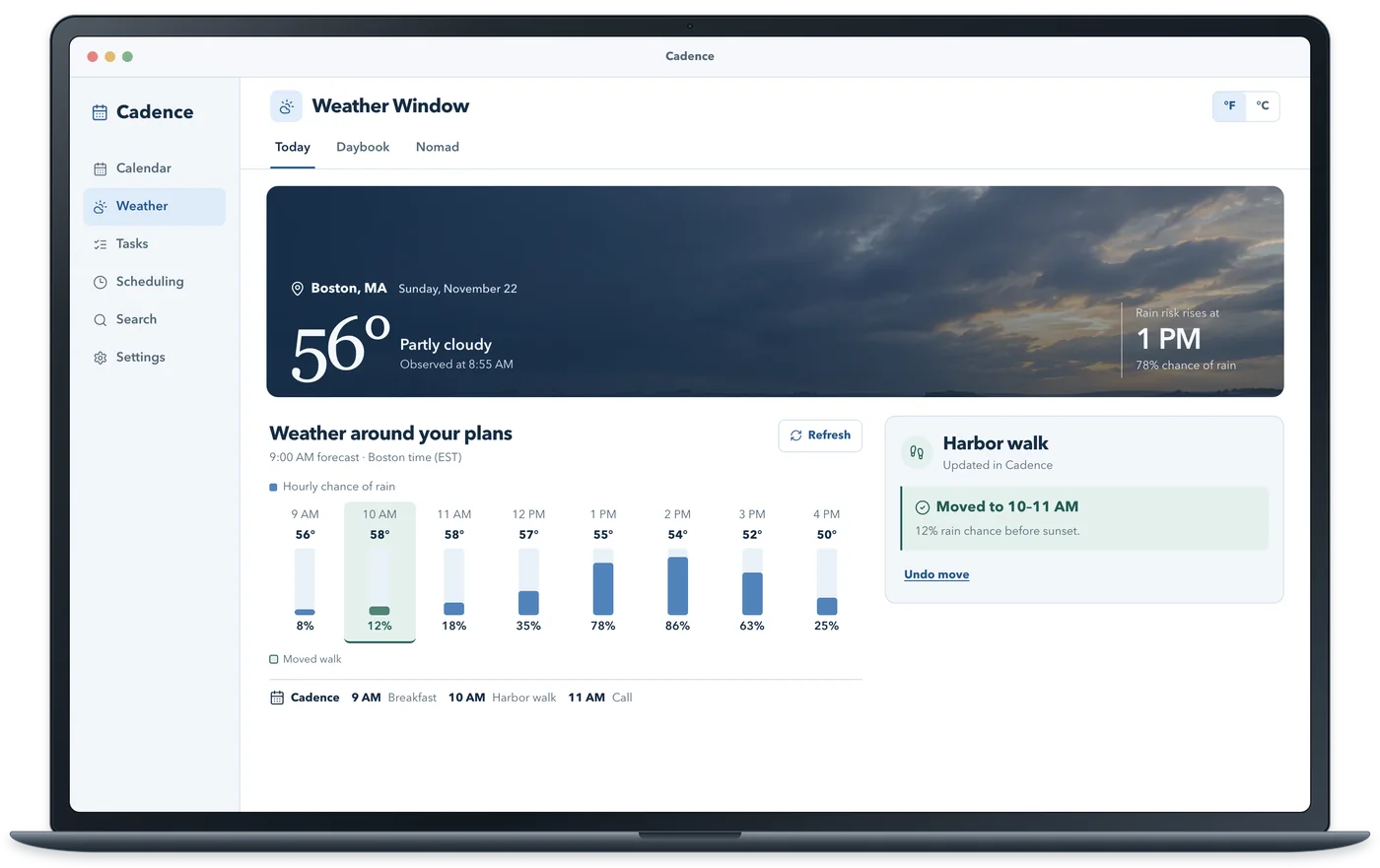
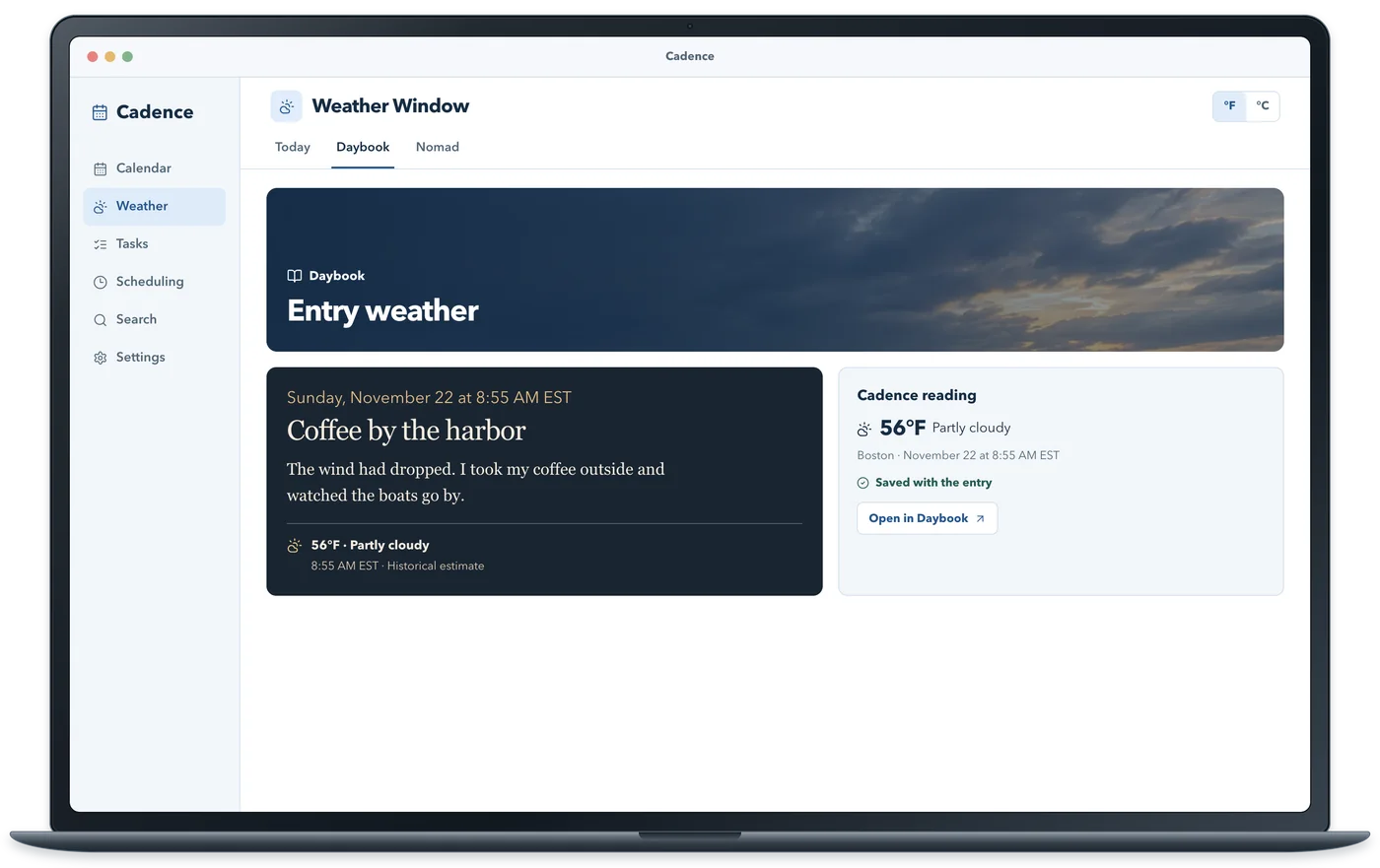
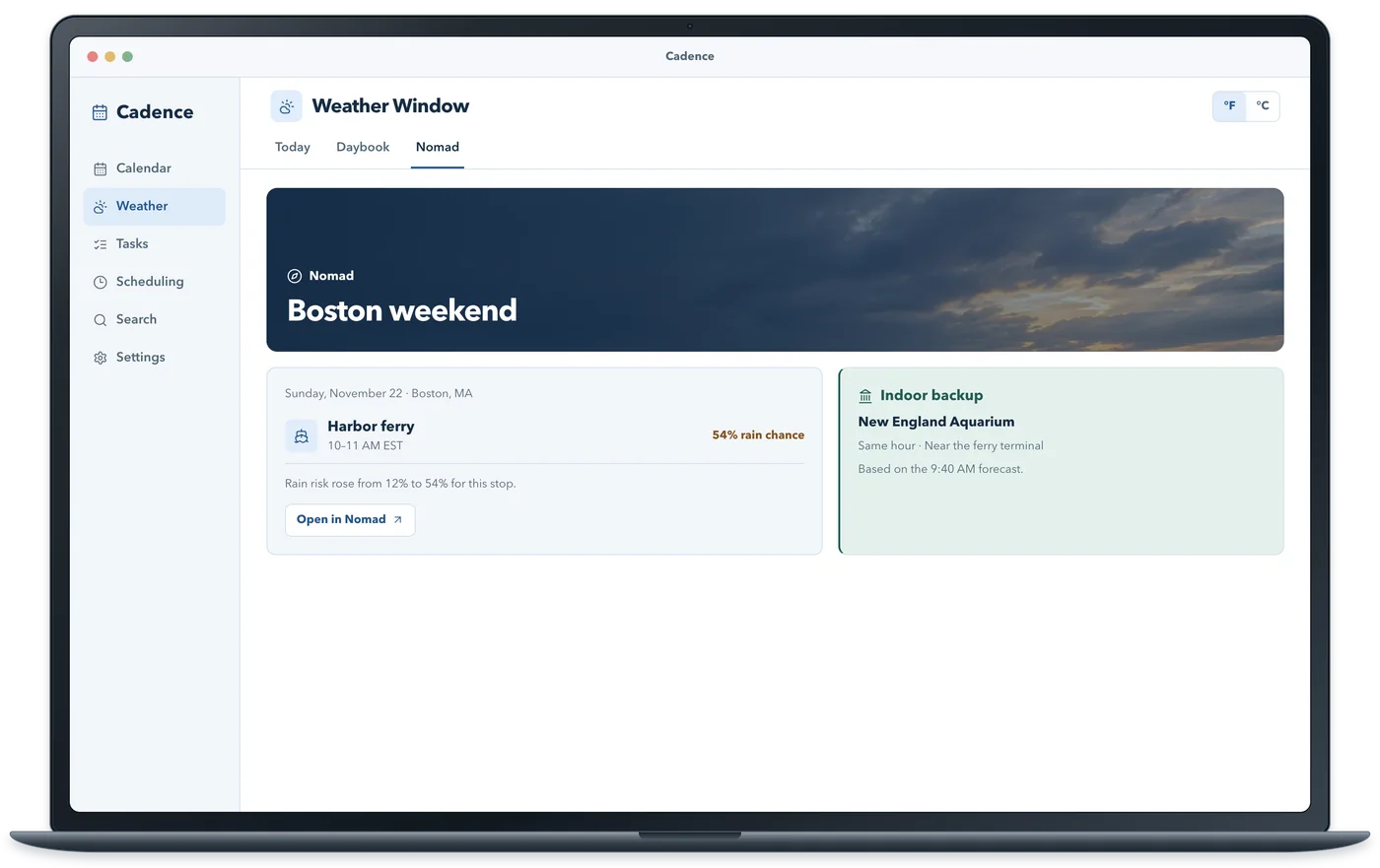
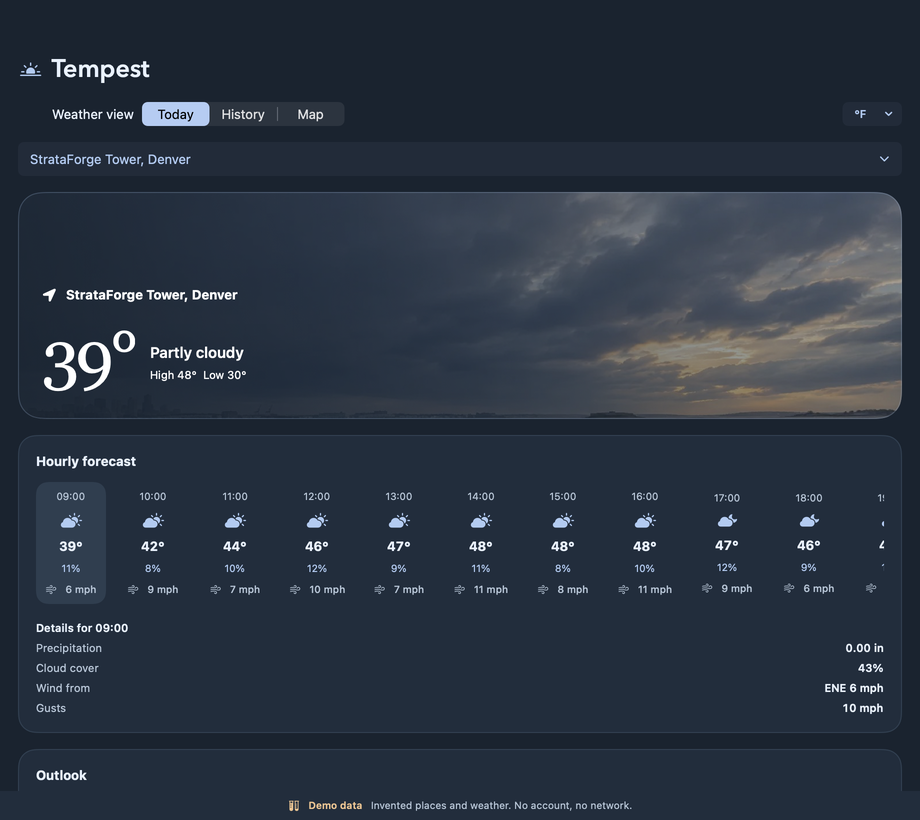
Cadence’s Weather Window page already sets the day’s hourly chance of rain beside your plans, suggests a drier hour for an outdoor event, and moves it when you confirm, while Daybook and Nomad read the same weather from Tempest. Here is Weather Window, screen by screen, on four devices.
iPhone
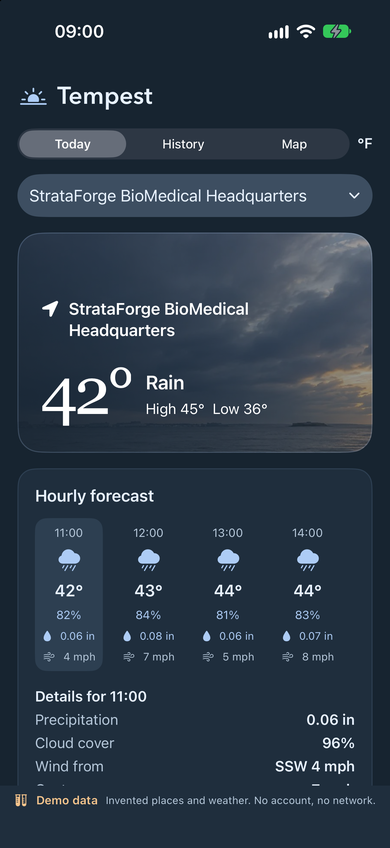
Weather Window in the hand.
iPad
The hourly chart and the plan side by side.
Mac
Inside Cadence, beside the calendar and tasks.
Apple Watch
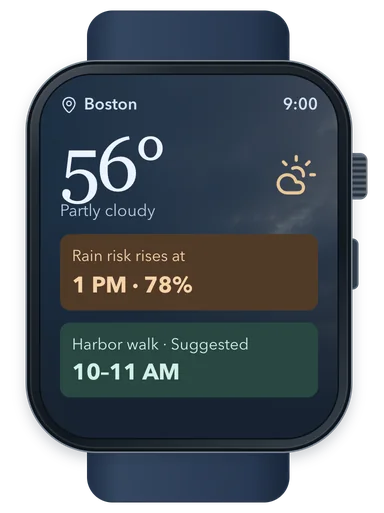
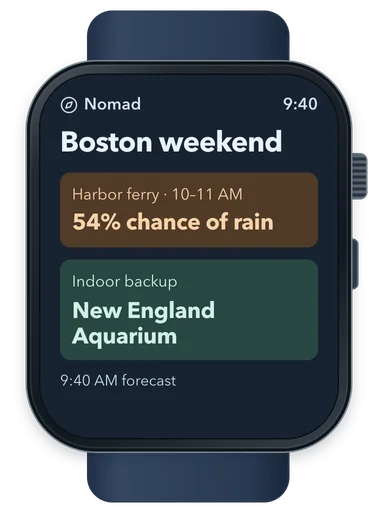
A companion on the wrist.
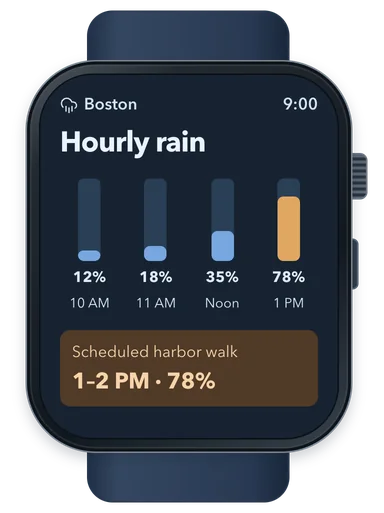
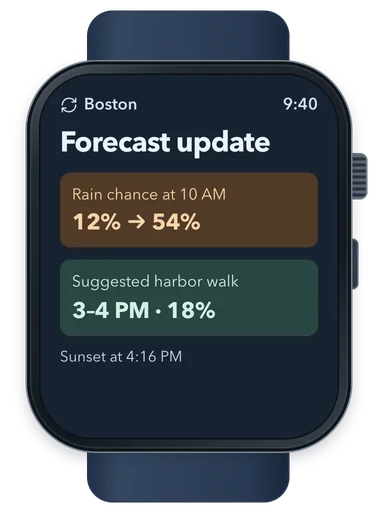
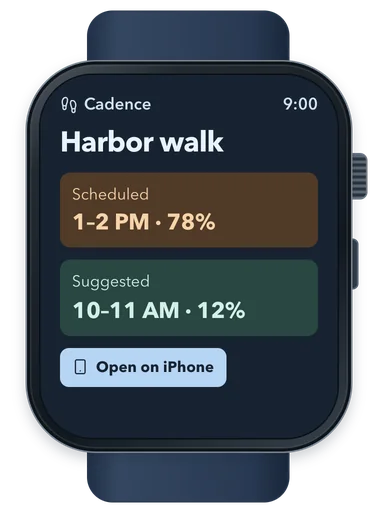
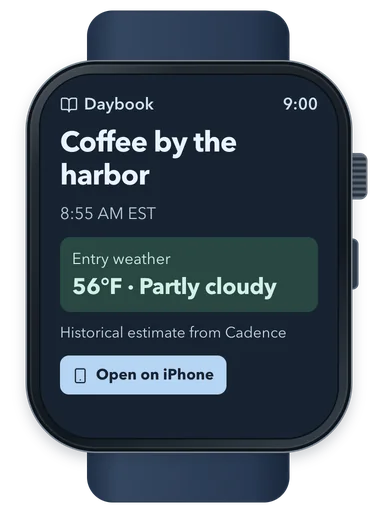
A weather app that says where every number came from.
Weather Window runs on iPhone, iPad, and Mac, with a companion on Apple Watch. It gets its weather from Tempest, the fleet's shared weather service, and shows the provider's name under every forecast and reading. It is internal to Renkara and is not offered for sale, and there is no sign-in, form, or download on this site. Any place you see here belongs to the invented StrataForge Robotics company. These are the things it does.
The hours ahead, and the days after
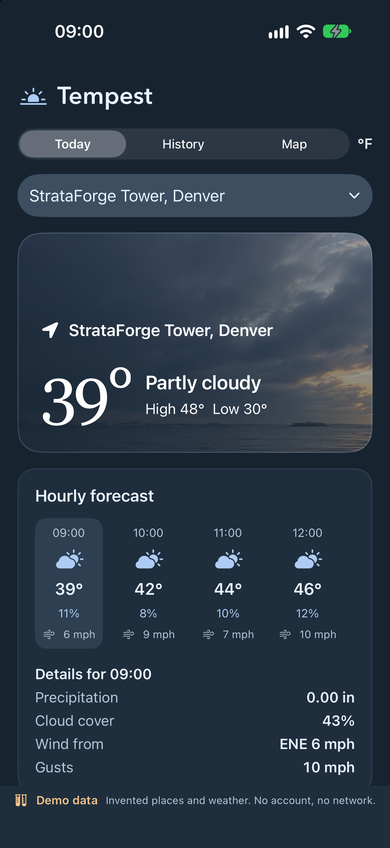
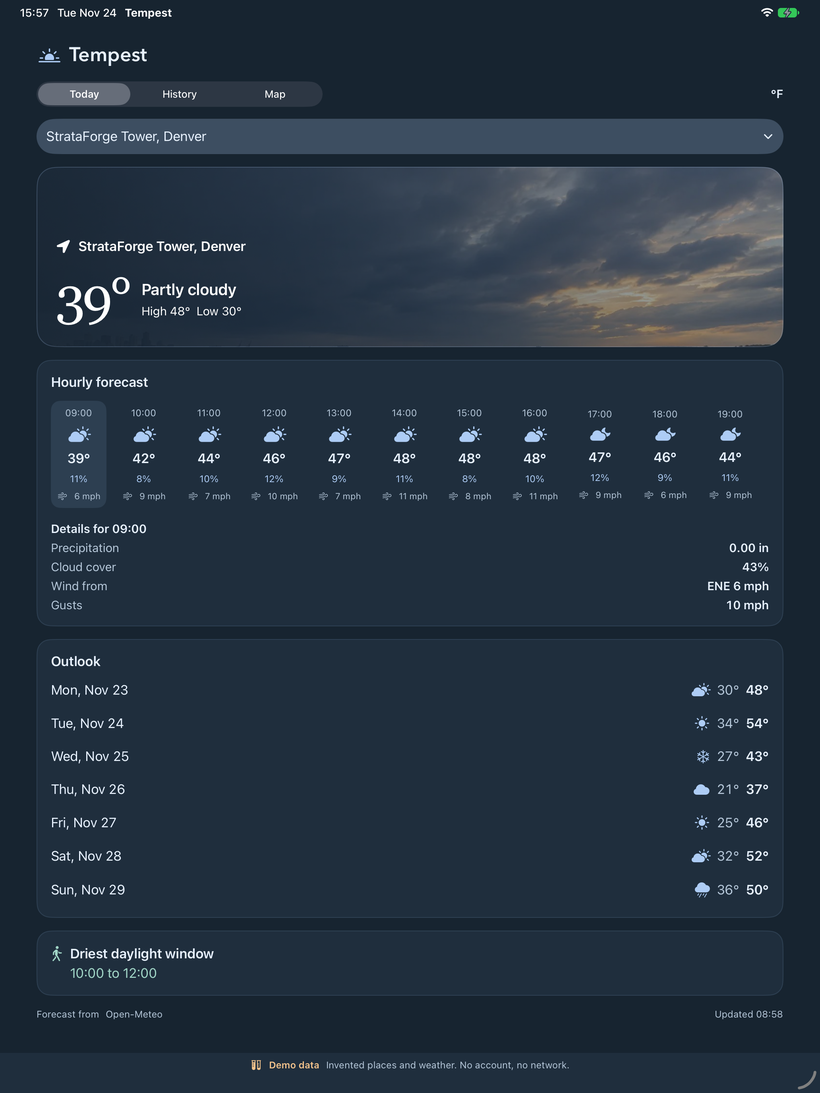
Today: the place, the temperature, and the hours ahead
Today shows the place with its current temperature, condition, high, and low over a harbor photograph, then an hourly strip and an outlook of the next seven days.
- Every hour, and its details
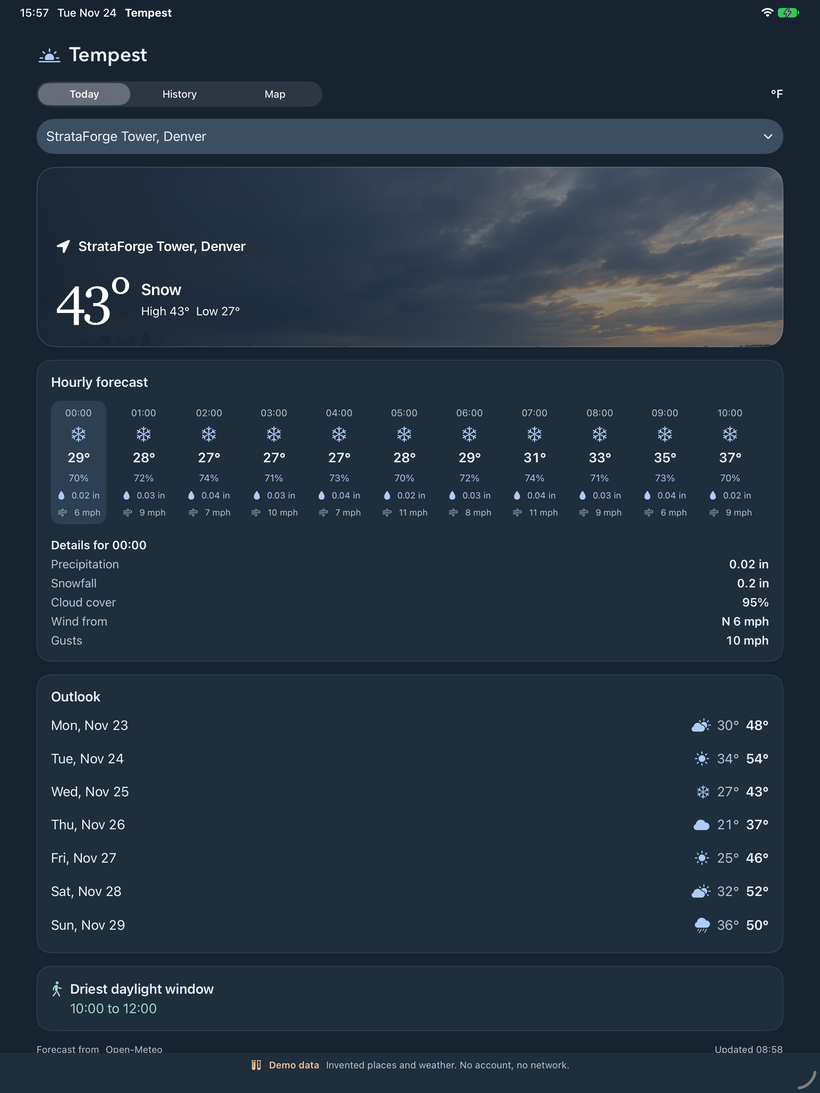
- Each hour in the strip shows its temperature, condition, and chance of rain, with the amount of precipitation and the wind speed when the forecast has them. Tap an hour for its details. A value the forecast does not carry is left out, never shown as zero.
- The driest daylight window
- From the hourly chances of rain, the app finds the two-hour stretch of daylight with the lowest chance and says when it starts and ends.
- Fahrenheit or Celsius, a menu away
- Switch units from the menu on Today and every temperature on the screen follows.
Pick a day, and the whole screen follows
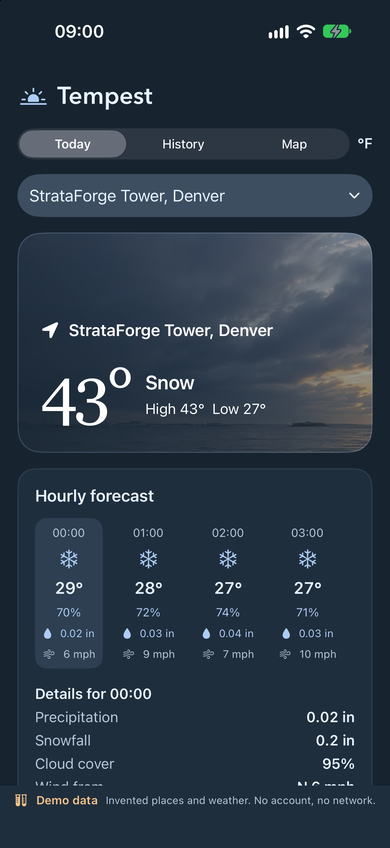
Each day in the outlook is a button. Tap one and the temperatures, the hourly strip, and the driest daylight window turn to that day, in the time zone of the place and not of the phone.
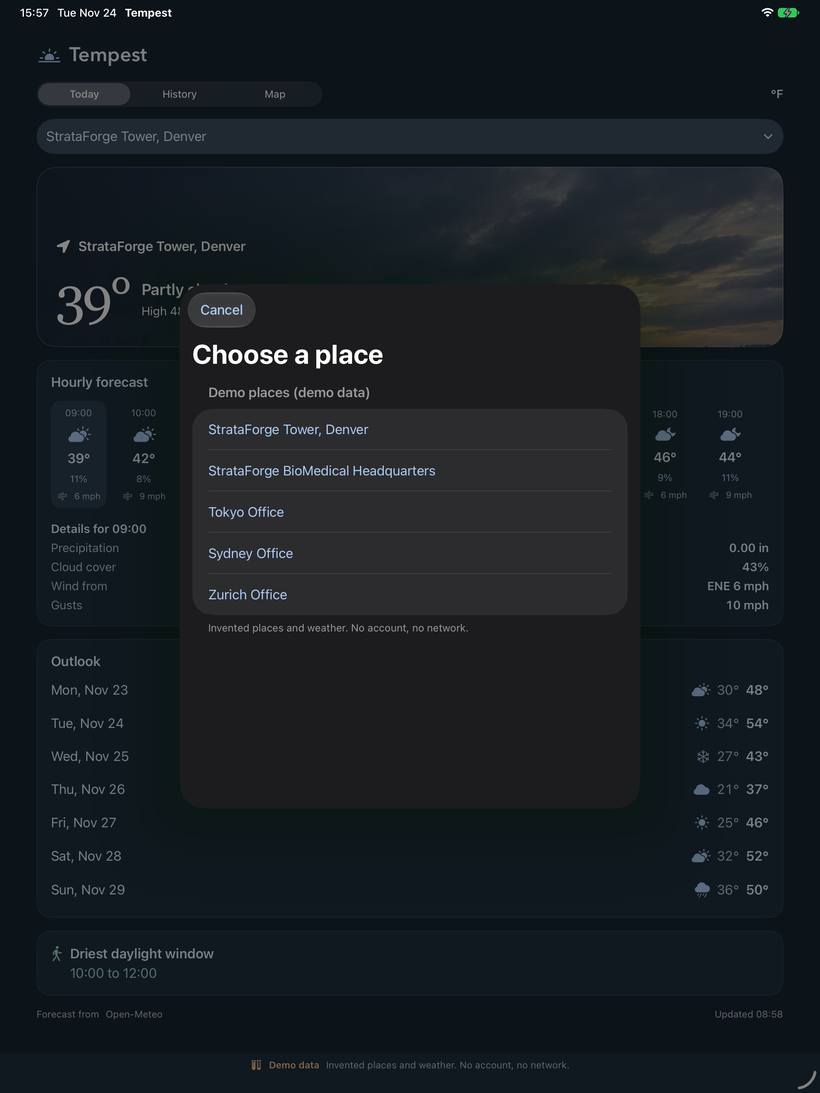
Search for a place, or type its coordinates
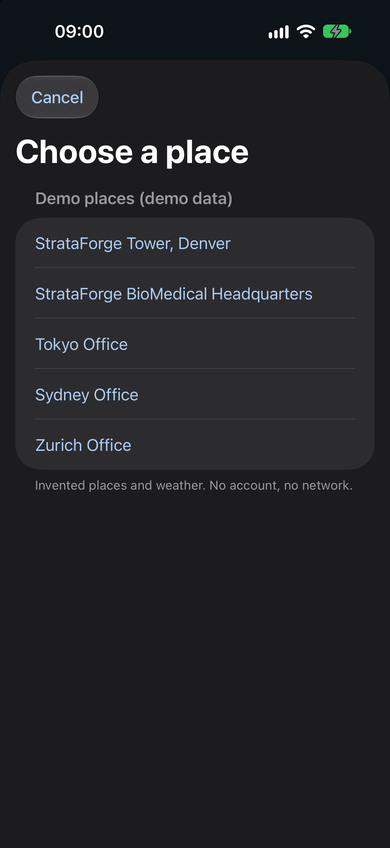
Search for a city or an address, or open Enter coordinates and type a latitude and longitude. The app rounds the place to two decimals before it asks Tempest for anything.
What the weather was, and what you saved
The weather at any past time
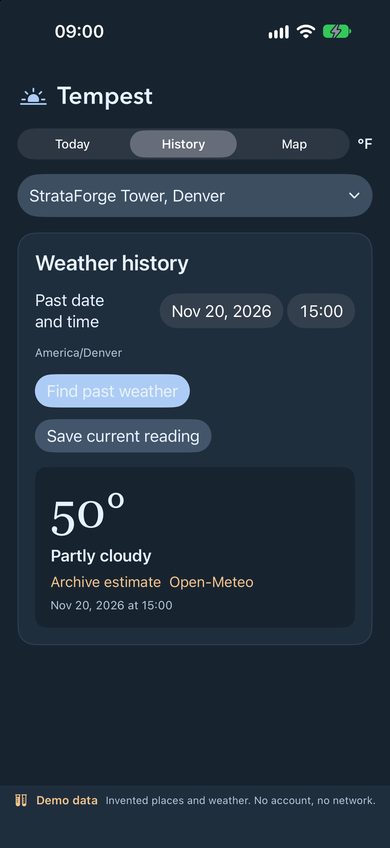
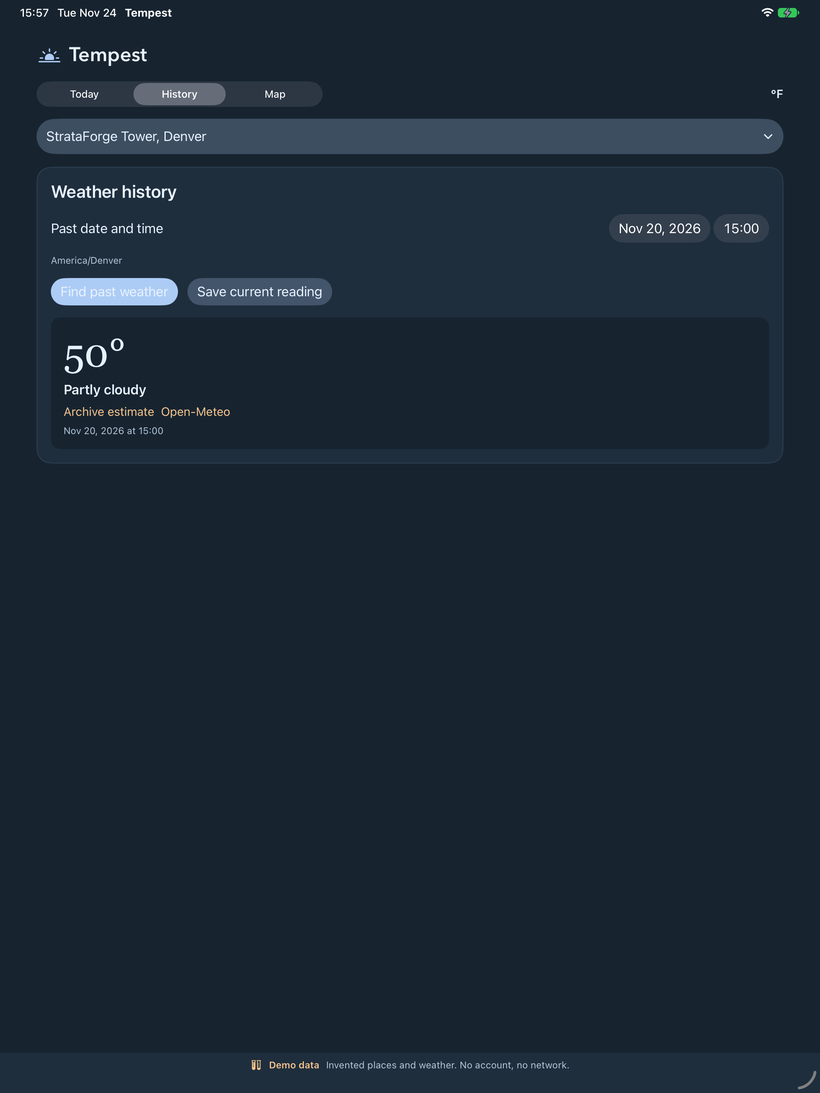
Switch to History, pick a past date and time, and Find past weather. The answer is a temperature and a condition with the provider's name and the time the value belongs to.
- An estimate says it is an estimate
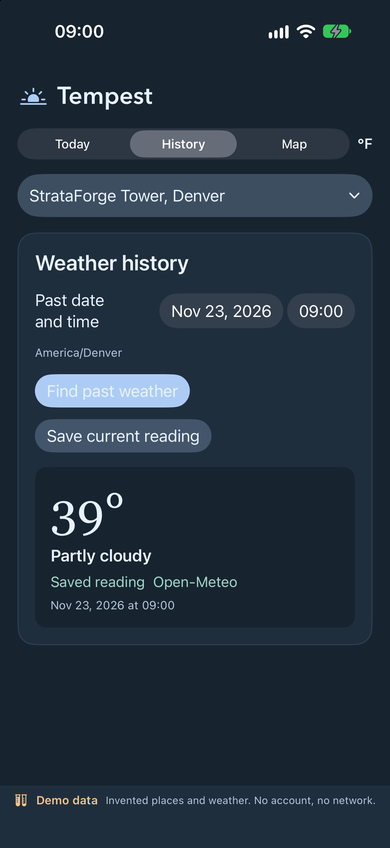
- Every result is labeled Saved reading, when Tempest had kept the weather at that time, or Archive estimate, when the value comes from a weather archive instead.
Save the weather as it is now
Save current reading asks for the weather right now and keeps it, labeled Saved reading, so it can be looked up later by place and time.
Radar, satellite, and forecasts you can play
A map you can play through time
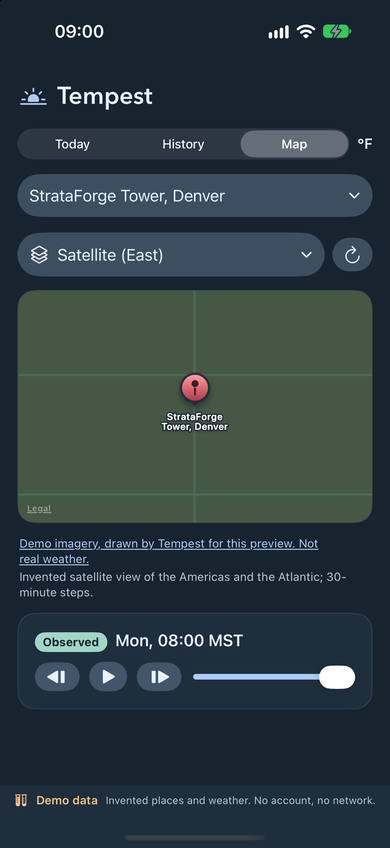
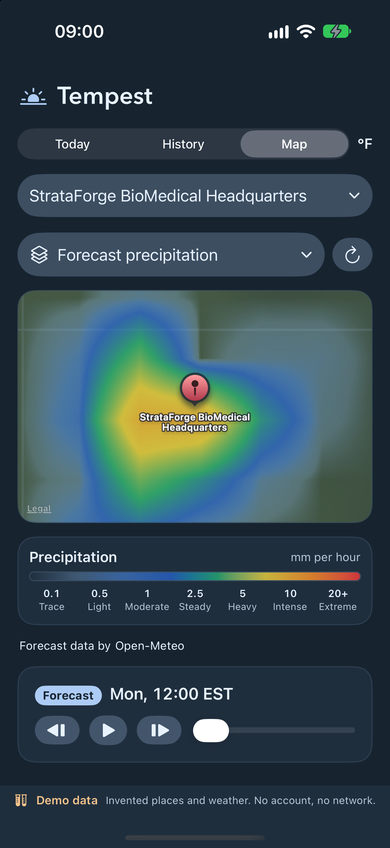
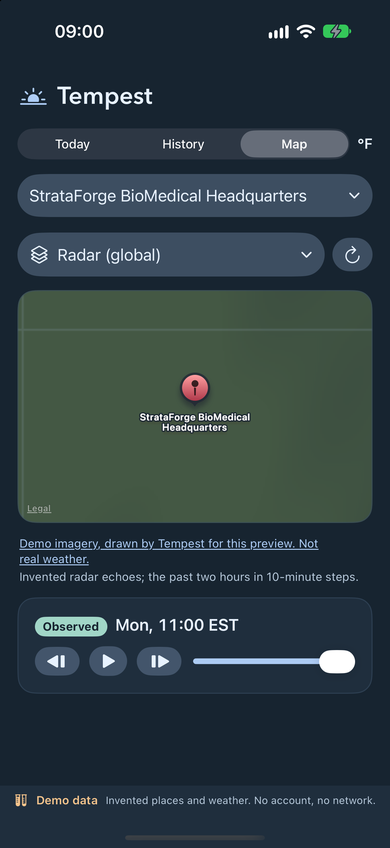
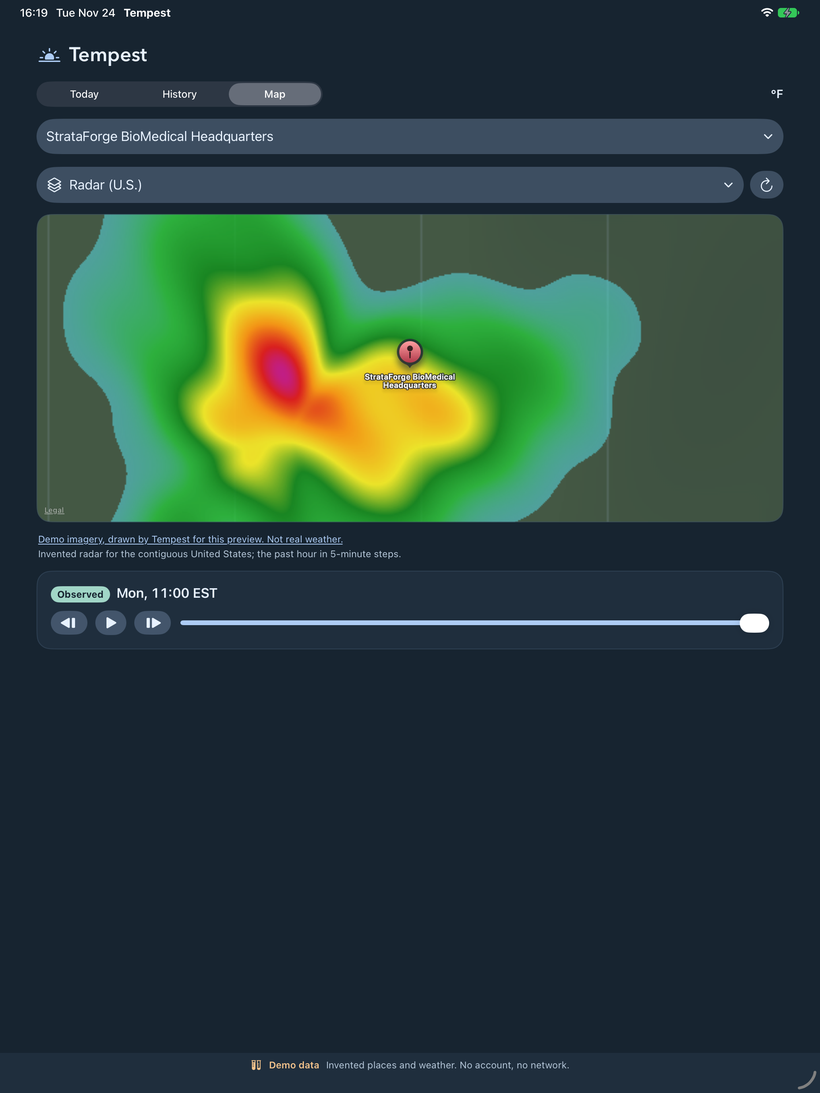
The Map screen puts the place under radar, a satellite view, or a forecast of precipitation or cloud cover. Step or play through the frames; each says its time, in the place's own time zone, and whether it was observed or is a forecast.
A legend for the forecast layers, and a source for every layer
A forecast layer shows a legend with its unit. Every layer names where its data comes from, and a layer that is unavailable says so instead of drawing nothing.
iPhone, iPad, Mac, and the wrist
One app across iPhone, iPad, and Mac
You sign in with Renkara, and the same Today, History, and Map screens rearrange to fit the phone, the tablet, or the window.
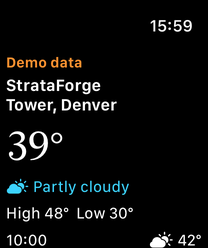
A glance on the wrist
The iPhone shares the forecast it is showing with its paired watch, which draws the place, the temperature, the condition, the high and low, and the next four hours, with the provider's name, and marks a forecast that is past its fresh time.
Sources named, and only the place leaving your device
- The provider is named under every number
- Under a forecast, the app names the weather provider, linked, and says when the forecast was updated, or says it is the last available forecast when it is past its fresh time.
- Only the rounded place goes out
- The app sends Tempest the place rounded to two decimals, roughly a kilometer, and nothing else about you. It keeps your session in the device's keychain and your chosen place and unit on the device.
See it in light and dark
Real captures of the running tool, with fictional StrataForge Robotics data. They follow your theme.
From a place to the screen
Sign in
You sign in with Renkara, and the app keeps the session in the device's keychain.
Pick
Search for a place or type its coordinates, and choose Fahrenheit or Celsius.
Ask
The app rounds the place to two decimals and asks Tempest for the forecast, a past reading, or a map layer.
Show
Today, History, or the Map draws the answer with its provider, its time, and whether it is saved, estimated, observed, or forecast.
Share
The iPhone hands the forecast it is showing to the paired Apple Watch.
Built so everyone can use Weather Window.
Weather Window is a native Apple app, so what we can say is about the app and about this site. Nothing in the app has been tested with VoiceOver, with a keyboard alone, or at the larger text sizes. The one thing we measured is the contrast of the app's own text colors, computed from its source. This site is scanned with axe-core on every full build at phone and desktop widths in light and dark. We do not claim a WCAG conformance level.
Not yet tested
Keyboard operation
The Mac app and the iPad app are built from the system's standard buttons, pickers, and sheets, which the system makes reachable from a keyboard. No one has walked Weather Window's screens with a keyboard alone.
Not yet tested
Screen reader landmarks and labels
The app's source gives its icons spoken names, marks its headings, and reads the main temperature as a labeled value, so there is something for VoiceOver to say. Nobody has listened to it on any of the four platforms.
Partly supported
Contrast in light and dark
Every text color in the app's own palette (the main text, the muted text, and the sky, seafoam, and amber accents) measures at least 8 to 1 against the page and panel backgrounds. The text over the harbor photograph and the Watch's system colors were not measured.
Not yet tested
Reduced motion
The app's screens define no animation of their own, but it has not been run with Reduce Motion turned on.
Not yet tested
Text resize and zoom
The app sets its text in the system's text styles, and its large temperatures scale with them. It has not been run at the larger accessibility text sizes.
Not yet tested
Mobile and touch
Weather Window runs on iPhone, iPad, Mac, and Apple Watch, and its screens rearrange to fit the width. Nobody has checked them on the smallest iPhone.
Under the hood
| Application |
|
|---|---|
| Screens |
|
| Weather |
|
| Privacy |
|
| Tests |
|
On iPhone, iPad, and Mac
- Weather Window for iPhone and iPadiOS and iPadOS
Today, a seven-day outlook, History, and Map, with a place search and a Fahrenheit and Celsius menu. It shares its forecast with the paired watch.
- Weather Window for MacmacOS
The same app in a window, with the same Today, History, and Map.
- Weather Window for Apple WatchwatchOS
The place, the temperature, the high and low, and the next four hours, from the forecast the iPhone is showing.
Questions people ask
Is Weather Window available to other teams?
No. Weather Window is internal to Renkara and is not offered for sale. There is no sign-up, form, or download on this site, and no price. This site shows what the app does and how it gets its weather. Write to fleet@renkara.com with questions.
Where does the weather come from?
From Tempest, the fleet's shared weather service, which asks two weather providers at once and keeps the fuller day. The app names the provider under every forecast and reading, so you can see who a number came from. Tempest has its own site, linked on How it works.
What is an archive estimate?
It is what a weather archive says the weather was at a past time when nothing had been saved then. It is modeled from past observations, so the app labels it an estimate and keeps the label Saved reading for a reading kept at the time.
How fresh is a forecast?
Under a forecast the app says when it was updated. When the forecast is past its fresh time, the app says Last available forecast so you know it is not new.
Does the app know where I am?
It knows the place you pick, rounded to two decimal places, and the account you signed in with. It sends Tempest only the rounded place. It keeps your session in the device's keychain and your chosen place and unit on the device.
Is there a light theme?
No. The app draws a dark theme only, so each picture on this site is the same in light and dark. This site itself follows your device's light or dark setting.
Is anything on this site real data?
No. Every place named here comes from the invented StrataForge Robotics company, and every picture of the app is a capture of its demo mode running on invented places with no real account.
Questions about this tool?
Write to Renkara Media Group and a person will answer.