Tour

The app, one screen at a time.

Each picture below is a capture of the built Weather Window app running on invented StrataForge Robotics places, with no real account and no network. Nothing real was on the screen. The app draws a dark theme only, so each picture is the same in both themes, and the Mac pictures show the window's contents without its title bar.

Illustration: the small square window of a hillside cabin at dawn, raindrops on the glass and a misty pine valley beyond, a single candle on the wooden sill, and one soft green glow where the mist is lifting.

Today

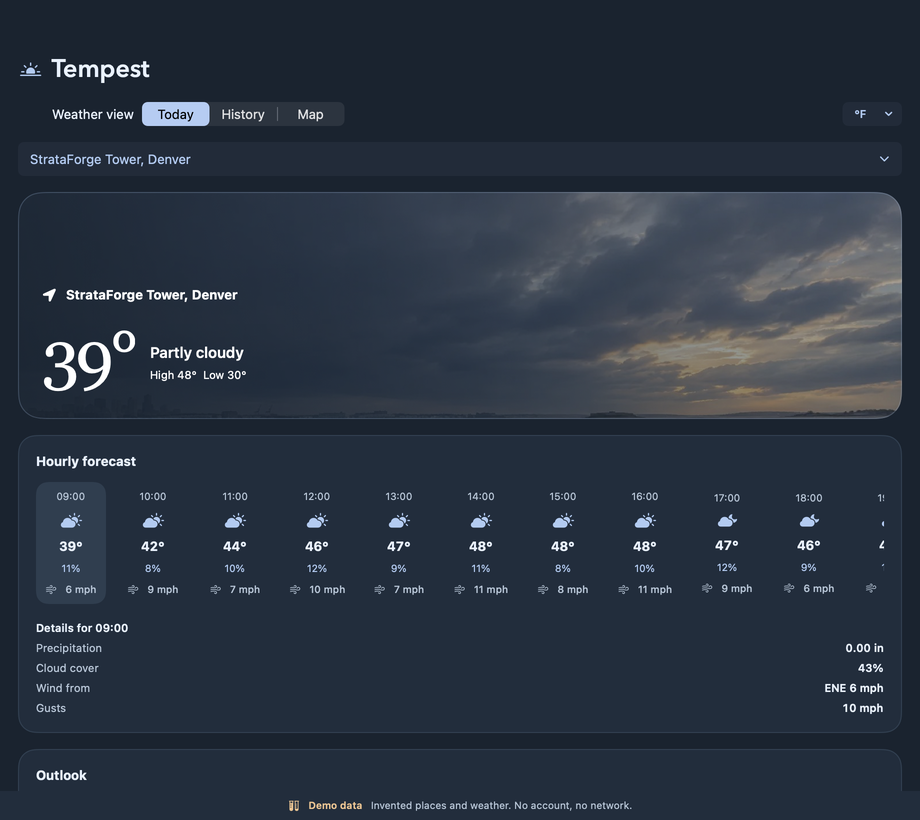
The place at the top over a harbor photograph with its current temperature in large type, the condition, and the day's high and low. Under it, an hourly strip with each hour's temperature, condition, and chance of rain, and an outlook of the next seven days, each a button that shows that day. When the day has a dry stretch of daylight, the app names the two hours with the lowest chance of rain. The foot of the screen names the provider, linked, and when the forecast was updated, or says it is the last available forecast.
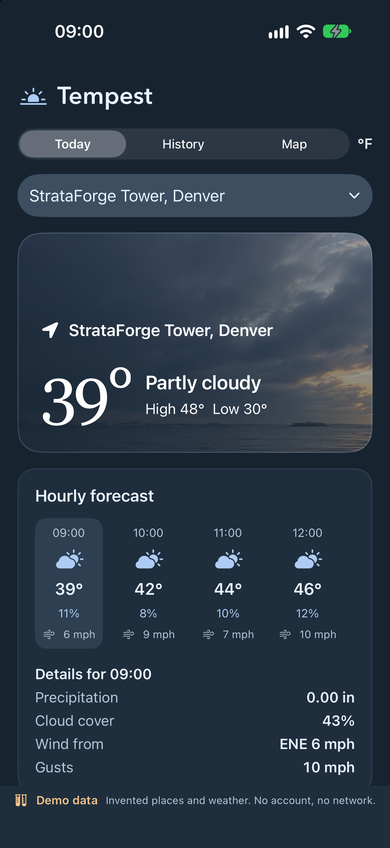
The Weather Window iPhone app on the Today tab for StrataForge Tower, Denver: 39 degrees Fahrenheit, partly cloudy, high 48 and low 30, over an hourly forecast from 09:00 to 13:00 (39 to 47 degrees, 8 to 12 percent precipitation) and the start of the seven-day outlook (Mon, Nov 23 at 30 to 48; Tue, Nov 24 at 34 to 54). A Demo data bar sits at the bottom of the screen.The Weather Window iPhone app on the Today tab for StrataForge Tower, Denver: 39 degrees Fahrenheit, partly cloudy, high 48 and low 30, over an hourly forecast from 09:00 to 13:00 (39 to 47 degrees, 8 to 12 percent precipitation) and the start of the seven-day outlook (Mon, Nov 23 at 30 to 48; Tue, Nov 24 at 34 to 54). A Demo data bar sits at the bottom of the screen.
Today: the current reading, the hourly forecast, and the outlook for one place.
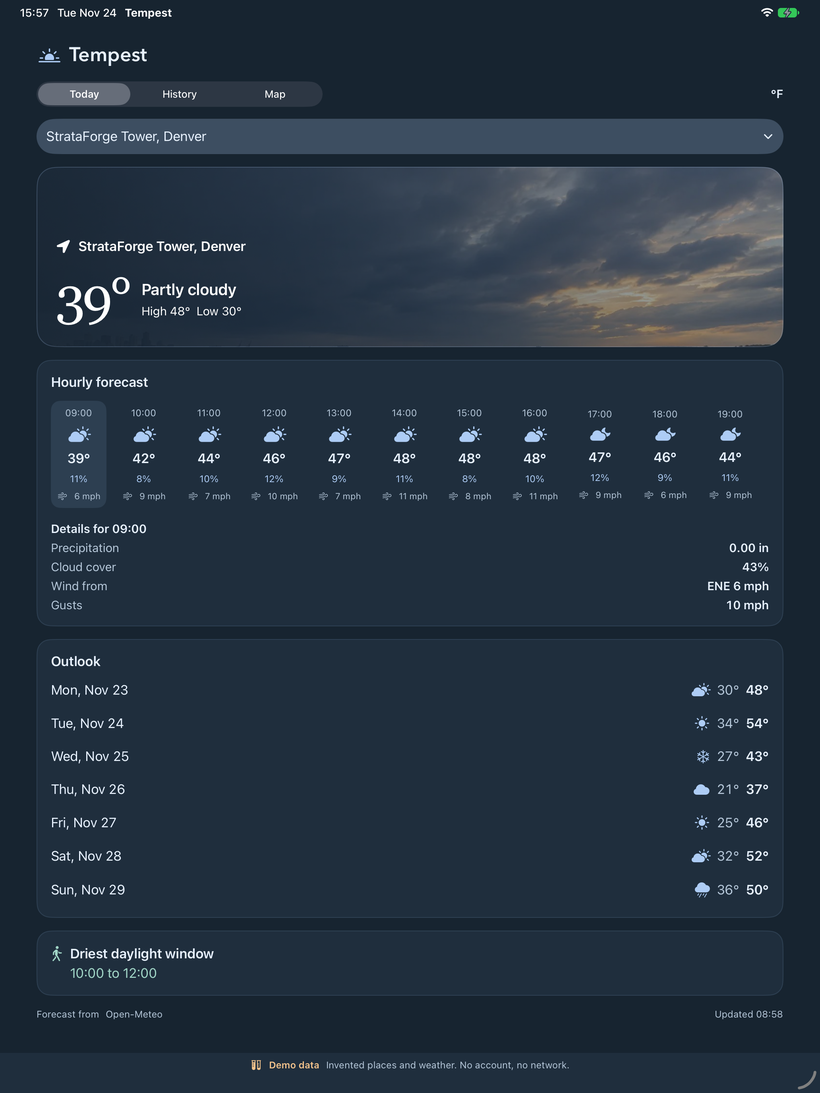
The Weather Window iPad app on the Today tab for StrataForge Tower, Denver: 39 degrees Fahrenheit, partly cloudy, an hourly forecast from 09:00 to 21:00, the seven-day outlook from Mon, Nov 23 (30 to 48) to Sun, Nov 29 (36 to 50, rain), a Driest daylight window of 10:00 to 12:00, and Forecast from Open-Meteo, updated 08:58. The status bar shows the simulator's real clock. A Demo data bar sits at the bottom of the screen.The Weather Window iPad app on the Today tab for StrataForge Tower, Denver: 39 degrees Fahrenheit, partly cloudy, an hourly forecast from 09:00 to 21:00, the seven-day outlook from Mon, Nov 23 (30 to 48) to Sun, Nov 29 (36 to 50, rain), a Driest daylight window of 10:00 to 12:00, and Forecast from Open-Meteo, updated 08:58. The status bar shows the simulator's real clock. A Demo data bar sits at the bottom of the screen.
On iPad the whole day fits on one screen.
The Weather Window Mac app window content on the Today tab for StrataForge Tower, Denver: 39 degrees Fahrenheit, partly cloudy, high 48 and low 30, an hourly forecast from 09:00 to 20:00, and the outlook from Mon, Nov 23 to Thu, Nov 26. A Demo data bar sits at the bottom of the screen.The Weather Window Mac app window content on the Today tab for StrataForge Tower, Denver: 39 degrees Fahrenheit, partly cloudy, high 48 and low 30, an hourly forecast from 09:00 to 20:00, and the outlook from Mon, Nov 23 to Thu, Nov 26. A Demo data bar sits at the bottom of the screen.
The Mac app uses the same screens in a resizable window.

A day ahead

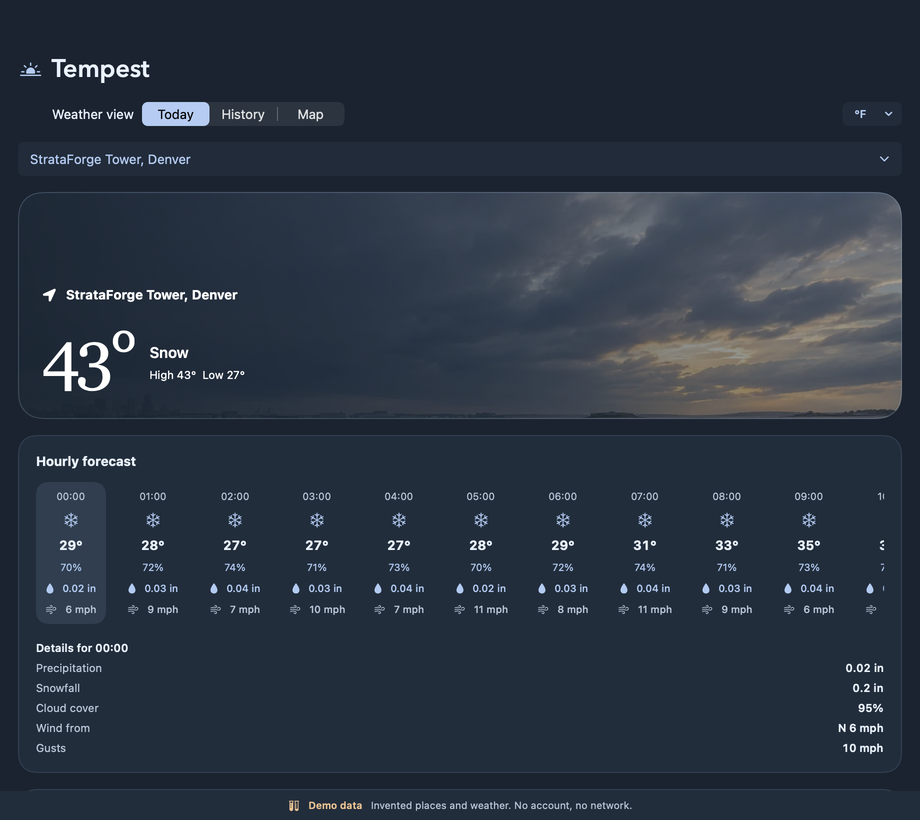
Tap a day in the outlook and the whole screen turns to it: that day's high and low, its hourly strip, and its driest daylight window, in the time zone of the place and not of the phone.
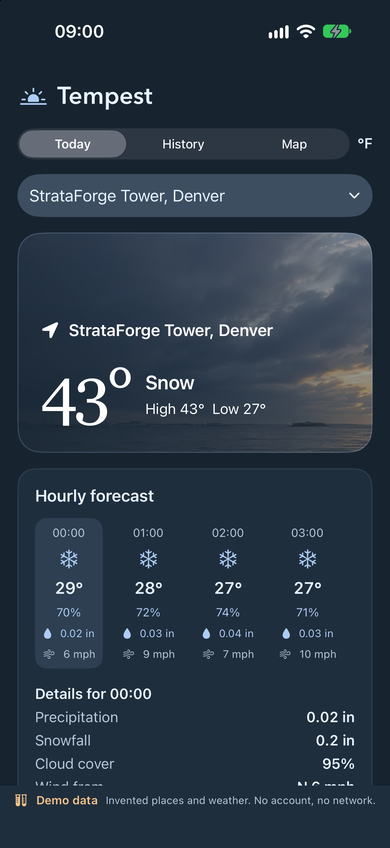
The Weather Window iPhone app with Wednesday, November 25 chosen for StrataForge Tower, Denver: 43 degrees Fahrenheit, snow, high 43 and low 27, over hourly snowflake icons from 00:00 to 04:00 (27 to 29 degrees, 70 to 74 percent precipitation) and the start of the outlook. A Demo data bar sits at the bottom of the screen.The Weather Window iPhone app with Wednesday, November 25 chosen for StrataForge Tower, Denver: 43 degrees Fahrenheit, snow, high 43 and low 27, over hourly snowflake icons from 00:00 to 04:00 (27 to 29 degrees, 70 to 74 percent precipitation) and the start of the outlook. A Demo data bar sits at the bottom of the screen.
Pick any day in the outlook and the hero and hourly strip follow it.
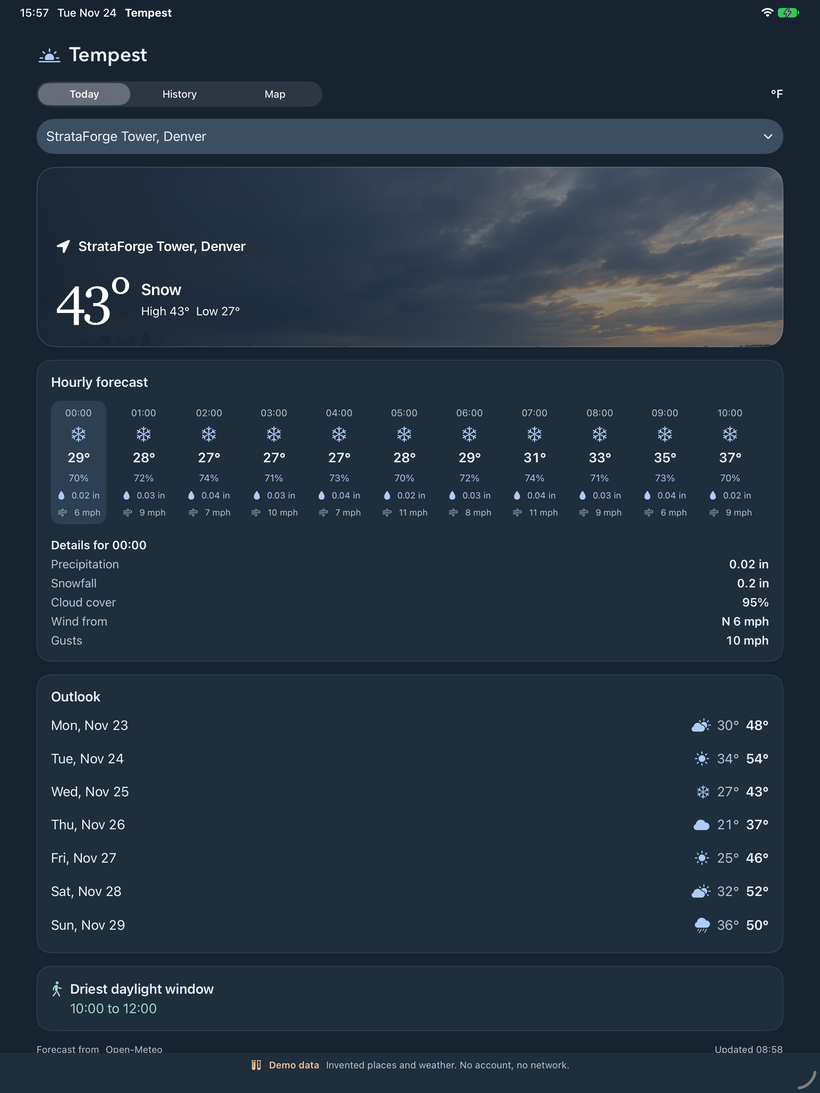
The Weather Window iPad app with Wednesday, November 25 chosen for StrataForge Tower, Denver: 43 degrees Fahrenheit, snow, high 43 and low 27, snowflake icons for every hour from 00:00 to 12:00 (27 to 40 degrees, 70 to 74 percent), the full outlook, and a Driest daylight window of 10:00 to 12:00. The status bar shows the simulator's real clock. A Demo data bar sits at the bottom of the screen.The Weather Window iPad app with Wednesday, November 25 chosen for StrataForge Tower, Denver: 43 degrees Fahrenheit, snow, high 43 and low 27, snowflake icons for every hour from 00:00 to 12:00 (27 to 40 degrees, 70 to 74 percent), the full outlook, and a Driest daylight window of 10:00 to 12:00. The status bar shows the simulator's real clock. A Demo data bar sits at the bottom of the screen.
Choosing a day updates the hero, the hourly strip, and the driest window.
The Weather Window Mac app window content with Wednesday, November 25 chosen for StrataForge Tower, Denver: 43 degrees Fahrenheit, snow, high 43 and low 27, and snowflake icons for each hour from 00:00 to 11:00. A Demo data bar sits at the bottom of the screen.The Weather Window Mac app window content with Wednesday, November 25 chosen for StrataForge Tower, Denver: 43 degrees Fahrenheit, snow, high 43 and low 27, and snowflake icons for each hour from 00:00 to 11:00. A Demo data bar sits at the bottom of the screen.
Pick a day and the Mac window follows.

History

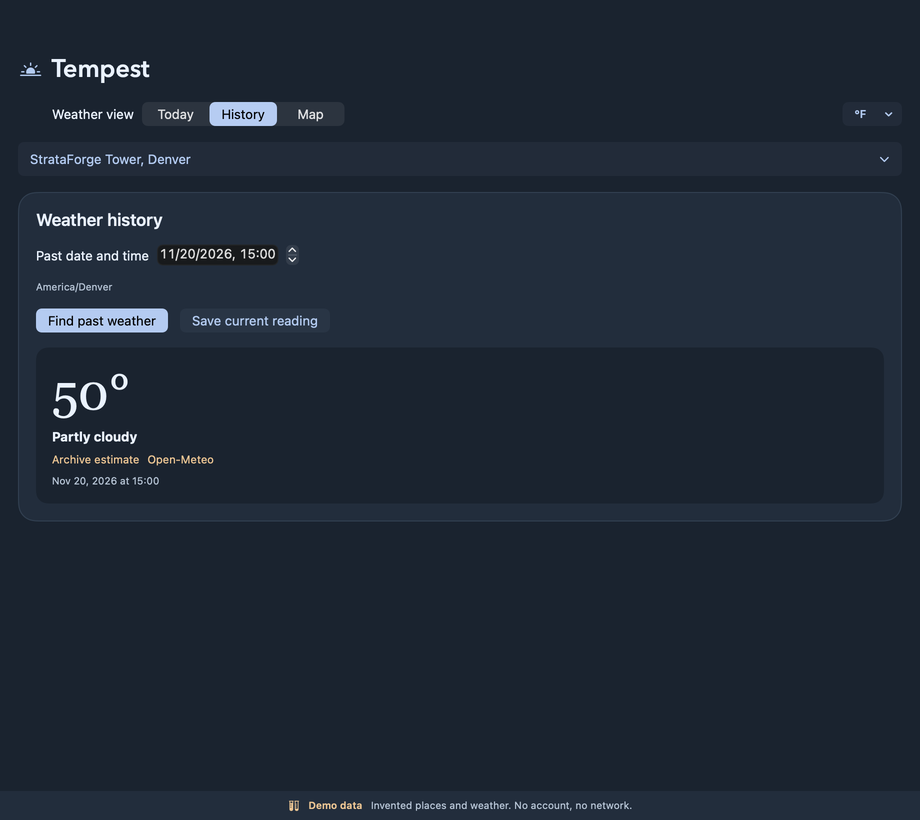
Switch from Today to History, pick a past date and time, and Find past weather. The answer is a temperature and a condition, labeled Archive estimate or Saved reading, with the provider's name and the time the value belongs to.
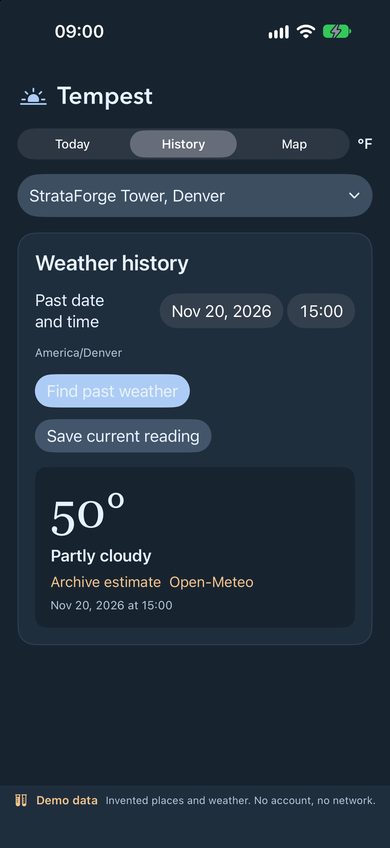
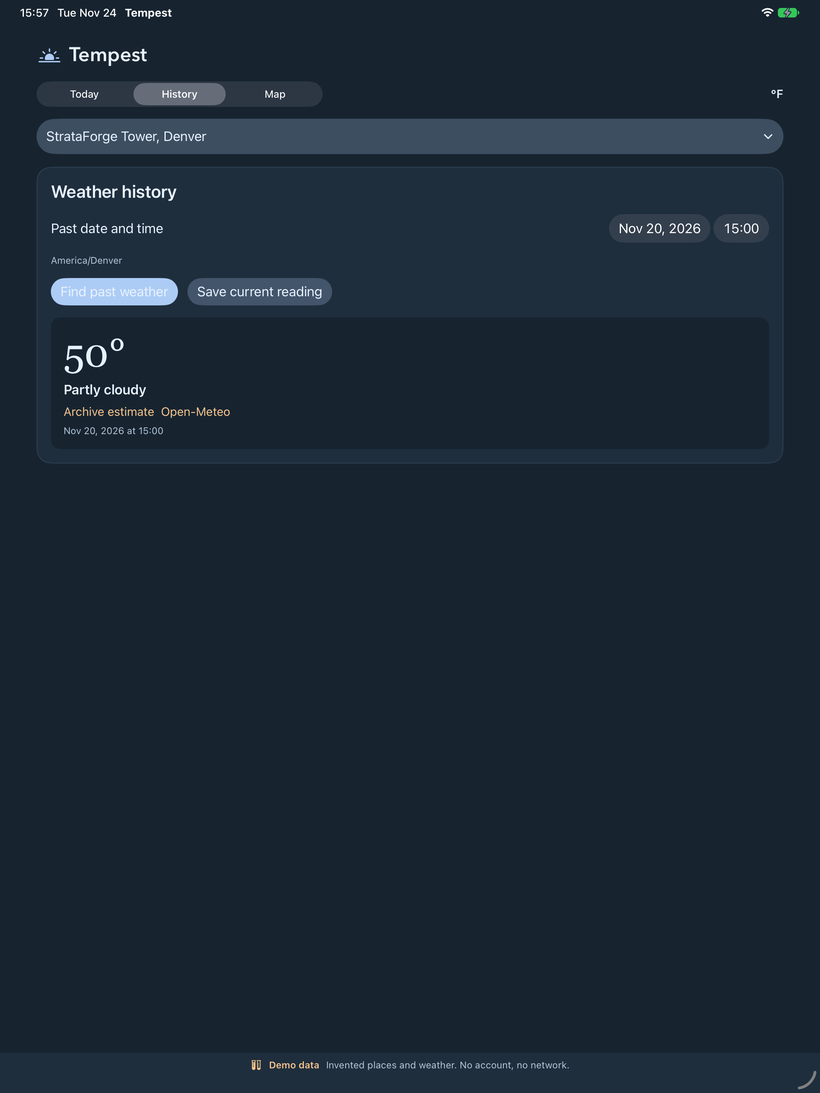
The Weather Window iPhone app on the History tab for StrataForge Tower, Denver with the past date set to Nov 20, 2026 at 15:00 (America/Denver) and the result 50 degrees Fahrenheit, partly cloudy, labeled Archive estimate from Open-Meteo, Nov 20, 2026 at 15:00. A Demo data bar sits at the bottom of the screen.The Weather Window iPhone app on the History tab for StrataForge Tower, Denver with the past date set to Nov 20, 2026 at 15:00 (America/Denver) and the result 50 degrees Fahrenheit, partly cloudy, labeled Archive estimate from Open-Meteo, Nov 20, 2026 at 15:00. A Demo data bar sits at the bottom of the screen.
Look up the weather for any past time; estimates from the archive are labeled as estimates.
The Weather Window iPad app on the History tab for StrataForge Tower, Denver with the past date Nov 20, 2026 at 15:00 and the result 50 degrees Fahrenheit, partly cloudy, labeled Archive estimate from Open-Meteo. The status bar shows the simulator's real clock. A Demo data bar sits at the bottom of the screen.The Weather Window iPad app on the History tab for StrataForge Tower, Denver with the past date Nov 20, 2026 at 15:00 and the result 50 degrees Fahrenheit, partly cloudy, labeled Archive estimate from Open-Meteo. The status bar shows the simulator's real clock. A Demo data bar sits at the bottom of the screen.
History on iPad: a past date and the archive estimate for it.
The Weather Window Mac app window content on the History tab for StrataForge Tower, Denver with the date field 11/20/2026, 15:00 and the result 50 degrees Fahrenheit, partly cloudy, labeled Archive estimate from Open-Meteo, Nov 20, 2026 at 15:00. A Demo data bar sits at the bottom of the screen.The Weather Window Mac app window content on the History tab for StrataForge Tower, Denver with the date field 11/20/2026, 15:00 and the result 50 degrees Fahrenheit, partly cloudy, labeled Archive estimate from Open-Meteo, Nov 20, 2026 at 15:00. A Demo data bar sits at the bottom of the screen.
History on Mac with the system date field.

A saved reading

Save current reading asks for the weather right now and keeps it, and the result is labeled Saved reading. It is the same kind of reading the fleet's other tools can ask Tempest for later by place and time.
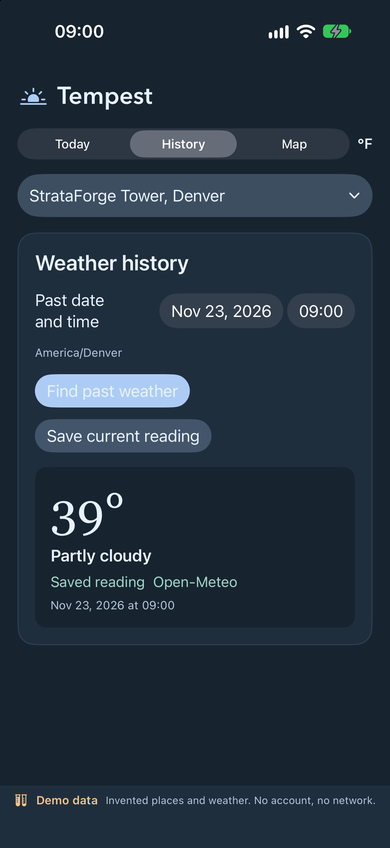
The Weather Window iPhone app on the History tab for StrataForge Tower, Denver with the date set to Nov 23, 2026 at 09:00 and the result 39 degrees Fahrenheit, partly cloudy, labeled Saved reading from Open-Meteo, Nov 23, 2026 at 09:00. A Demo data bar sits at the bottom of the screen.The Weather Window iPhone app on the History tab for StrataForge Tower, Denver with the date set to Nov 23, 2026 at 09:00 and the result 39 degrees Fahrenheit, partly cloudy, labeled Saved reading from Open-Meteo, Nov 23, 2026 at 09:00. A Demo data bar sits at the bottom of the screen.
Save the current reading and it appears labeled as a saved reading.

Choosing a place

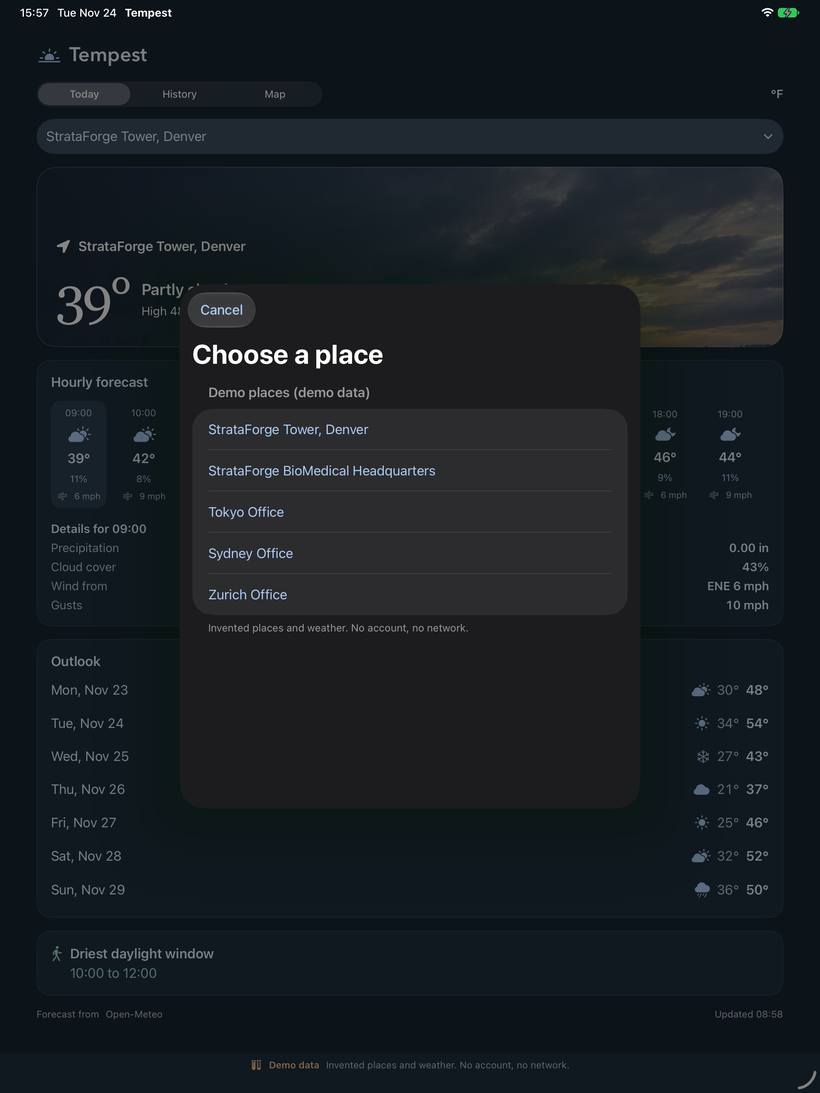
Search for a city or an address, or open Enter coordinates and type a latitude and longitude. The app rounds the place to two decimals before it asks for anything.
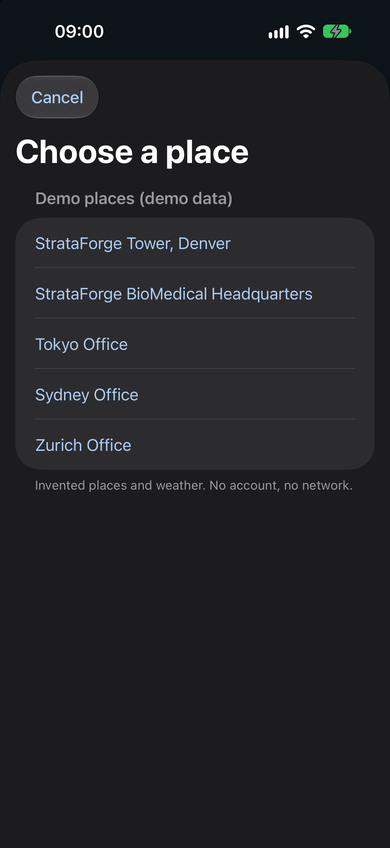
The Weather Window iPhone place picker sheet titled Choose a place, with a Cancel button and a section headed Demo places (demo data) listing StrataForge Tower, Denver; StrataForge BioMedical Headquarters; Tokyo Office; Sydney Office; and Zurich Office, with the note Invented places and weather. No account, no network.The Weather Window iPhone place picker sheet titled Choose a place, with a Cancel button and a section headed Demo places (demo data) listing StrataForge Tower, Denver; StrataForge BioMedical Headquarters; Tokyo Office; Sydney Office; and Zurich Office, with the note Invented places and weather. No account, no network.
Choose the place whose weather you want.
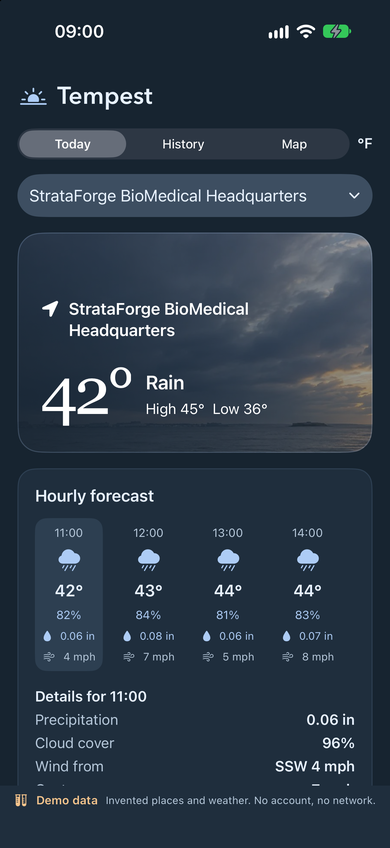
The Weather Window iPhone app for StrataForge BioMedical Headquarters: 42 degrees Fahrenheit, rain, high 45 and low 36, over an hourly forecast from 11:00 to 15:00 (rain icons from 42 to 44 degrees at 81 to 84 percent, then cloudy 45 degrees at 20 percent) and the start of the outlook (Mon, Nov 23 at 36 to 45; Tue, Nov 24 at 30 to 41). A Demo data bar sits at the bottom of the screen.The Weather Window iPhone app for StrataForge BioMedical Headquarters: 42 degrees Fahrenheit, rain, high 45 and low 36, over an hourly forecast from 11:00 to 15:00 (rain icons from 42 to 44 degrees at 81 to 84 percent, then cloudy 45 degrees at 20 percent) and the start of the outlook (Mon, Nov 23 at 36 to 45; Tue, Nov 24 at 30 to 41). A Demo data bar sits at the bottom of the screen.
Each place keeps its own time zone and forecast.
The Weather Window iPad app dimmed behind a centered Choose a place sheet with a Cancel button and a section headed Demo places (demo data) listing five StrataForge places: Denver, BioMedical Headquarters, Tokyo Office, Sydney Office, and Zurich Office. The Demo data bar is visible at the bottom, dimmed.The Weather Window iPad app dimmed behind a centered Choose a place sheet with a Cancel button and a section headed Demo places (demo data) listing five StrataForge places: Denver, BioMedical Headquarters, Tokyo Office, Sydney Office, and Zurich Office. The Demo data bar is visible at the bottom, dimmed.
The place picker opens as a sheet over the forecast.

Map

Switch to Map and the place sits on a map with a weather layer over it. Choose radar, a satellite view, or a forecast of precipitation or cloud cover, then step or play through the frames; each frame shows its time in the place's own time zone and says whether it was observed or is a forecast. A forecast layer has a legend with its unit, and every layer names where its data comes from. In these pictures the base map and the imagery are drawn by the demo mode, and are not real weather.
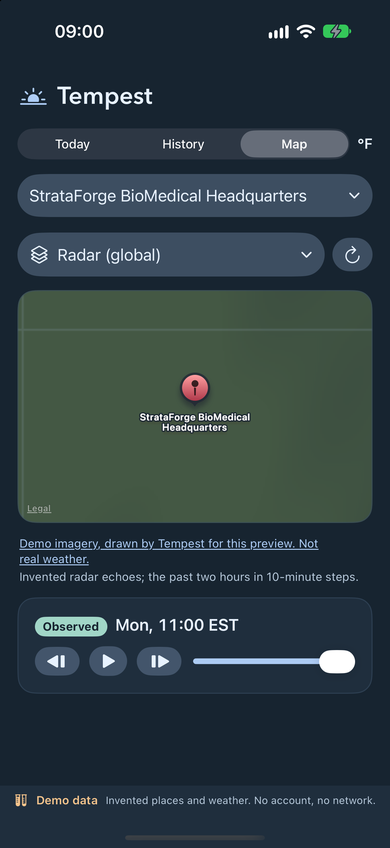
The Weather Window iPhone app on the Map tab for StrataForge BioMedical Headquarters with the Radar (global) layer. A dark map with a degree grid shows an invented radar echo in blue, green, yellow, and red around the place pin. Under the map, a link reads Demo imagery, drawn by Tempest for this preview, and a note says the echoes are invented. The frame scrubber shows an Observed badge, Mon, 11:00 EST, step and play buttons, and a slider at the newest frame. A Demo data bar sits at the bottom.The Weather Window iPhone app on the Map tab for StrataForge BioMedical Headquarters with the Radar (global) layer. A dark map with a degree grid shows an invented radar echo in blue, green, yellow, and red around the place pin. Under the map, a link reads Demo imagery, drawn by Tempest for this preview, and a note says the echoes are invented. The frame scrubber shows an Observed badge, Mon, 11:00 EST, step and play buttons, and a slider at the newest frame. A Demo data bar sits at the bottom.
Map: the observed radar layer for the chosen place, with its attribution and a frame scrubber in the place's time zone.
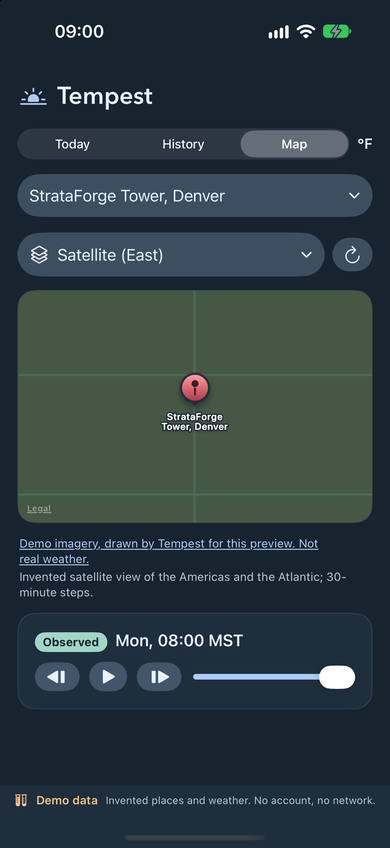
The Weather Window iPhone app on the Map tab for StrataForge Tower, Denver with the Satellite (East) layer: an invented satellite view of green land with a white cloud bank across the middle, over the place pin. Below are the demo attribution link, a coverage note, and the scrubber with an Observed badge and Mon, 08:00 MST. A Demo data bar sits at the bottom.The Weather Window iPhone app on the Map tab for StrataForge Tower, Denver with the Satellite (East) layer: an invented satellite view of green land with a white cloud bank across the middle, over the place pin. Below are the demo attribution link, a coverage note, and the scrubber with an Observed badge and Mon, 08:00 MST. A Demo data bar sits at the bottom.
Map: a satellite layer. The newest frame is about an hour behind the clock, and the scrubber says so.
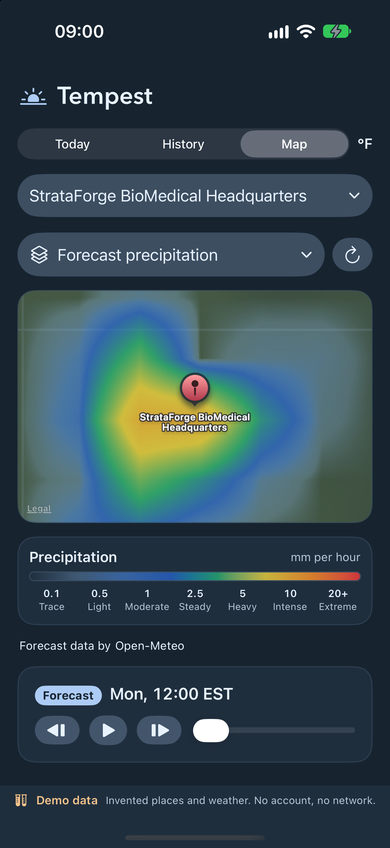
The Weather Window iPhone app on the Map tab for StrataForge BioMedical Headquarters with the Forecast precipitation layer: a smooth shaded patch of invented rain, blue at the edge through green and yellow, over the place pin. A legend panel under the map shows a color bar in millimeters per hour with a number and a word for each step: 0.1 Trace, 0.5 Light, 1 Moderate, 2.5 Steady, 5 Heavy, 10 Intense, 20+ Extreme. Below it, Forecast data by Open-Meteo and the scrubber with a Forecast badge and Mon, 12:00 EST. A Demo data bar sits at the bottom.The Weather Window iPhone app on the Map tab for StrataForge BioMedical Headquarters with the Forecast precipitation layer: a smooth shaded patch of invented rain, blue at the edge through green and yellow, over the place pin. A legend panel under the map shows a color bar in millimeters per hour with a number and a word for each step: 0.1 Trace, 0.5 Light, 1 Moderate, 2.5 Steady, 5 Heavy, 10 Intense, 20+ Extreme. Below it, Forecast data by Open-Meteo and the scrubber with a Forecast badge and Mon, 12:00 EST. A Demo data bar sits at the bottom.
Map: a forecast grid drawn as a smooth overlay, with a legend that gives every color a number and a word.
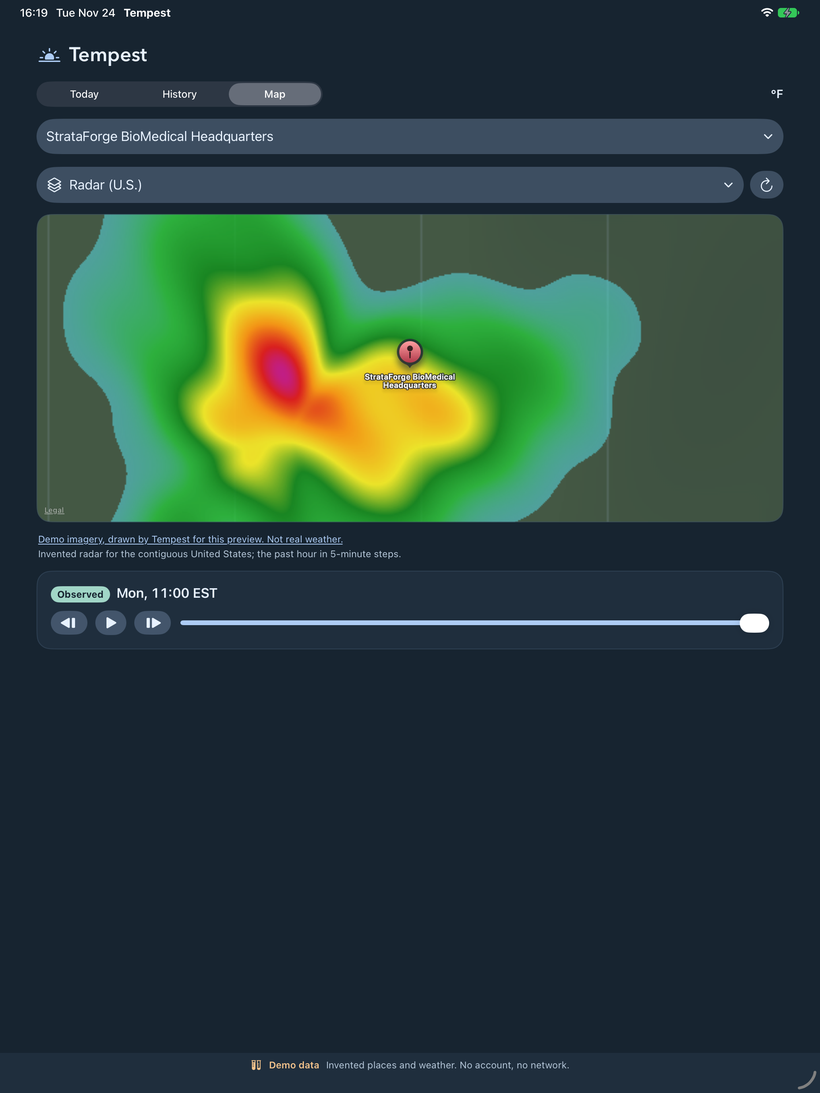
The Weather Window iPad app on the Map tab for StrataForge BioMedical Headquarters with the Radar (U.S.) layer: a wide dark map with a degree grid, a coastline on the right, and an invented echo in green, yellow, and red around the place pin. Under the map are the demo attribution link, a note about the contiguous United States and 5-minute steps, and the scrubber with an Observed badge and Mon, 11:00 EST. A Demo data bar sits at the bottom. The status bar shows the simulator's real clock.The Weather Window iPad app on the Map tab for StrataForge BioMedical Headquarters with the Radar (U.S.) layer: a wide dark map with a degree grid, a coastline on the right, and an invented echo in green, yellow, and red around the place pin. Under the map are the demo attribution link, a note about the contiguous United States and 5-minute steps, and the scrubber with an Observed badge and Mon, 11:00 EST. A Demo data bar sits at the bottom. The status bar shows the simulator's real clock.
Map on iPad: the same screen with a taller map.
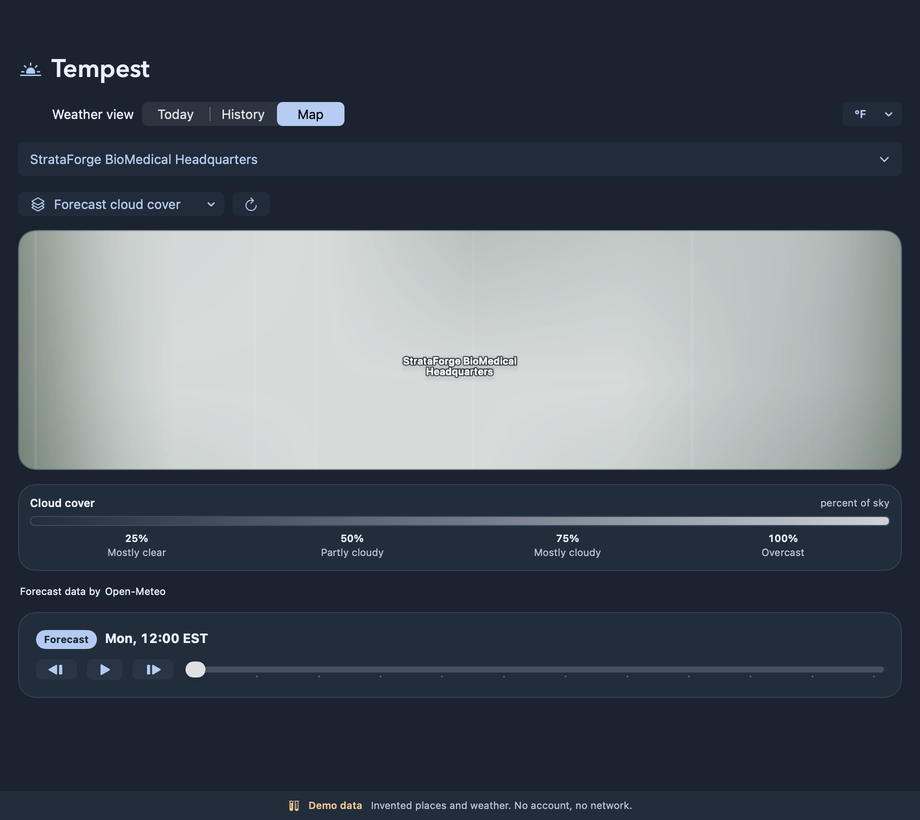
The Weather Window Mac app window on the Map segment for StrataForge BioMedical Headquarters with the Forecast cloud cover layer: a wide dark map with a coast and a degree grid and a soft white patch of invented cloud around the place. A legend panel shows a color bar for cloud cover in percent of sky with 25 percent Mostly clear, 50 percent Partly cloudy, 75 percent Mostly cloudy, and 100 percent Overcast. Below are Forecast data by Open-Meteo and the scrubber with a Forecast badge and Mon, 12:00 EST. A Demo data bar sits at the bottom.The Weather Window Mac app window on the Map segment for StrataForge BioMedical Headquarters with the Forecast cloud cover layer: a wide dark map with a coast and a degree grid and a soft white patch of invented cloud around the place. A legend panel shows a color bar for cloud cover in percent of sky with 25 percent Mostly clear, 50 percent Partly cloudy, 75 percent Mostly cloudy, and 100 percent Overcast. Below are Forecast data by Open-Meteo and the scrubber with a Forecast badge and Mon, 12:00 EST. A Demo data bar sits at the bottom.
Map on Mac: forecast cloud cover with its legend.

Apple Watch

The paired watch shows what the iPhone is showing: the place, the temperature, the condition, the high and low, and the next four hours, with the provider's name. A forecast that has gone stale says Last available forecast.
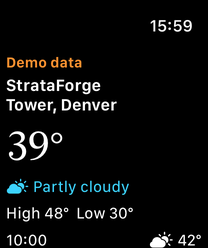
The Weather Window Apple Watch app showing Demo data in orange, StrataForge Tower, Denver, 39 degrees, partly cloudy in blue, High 48 Low 30, and the first hourly row at 10:00. The status bar shows the simulator's real clock.The Weather Window Apple Watch app showing Demo data in orange, StrataForge Tower, Denver, 39 degrees, partly cloudy in blue, High 48 Low 30, and the first hourly row at 10:00. The status bar shows the simulator's real clock.
The watch shows the place, the temperature, and the next few hours.